Word of mouth is a home remodeler’s growth engine. Buildertrend keeps it running.

Man and woman reviewing mobile phone

Your client is still cooking dinner a few feet from where your crew is working. Buildertrend keeps planning, scheduling, budgets and client updates moving together, so the disruption stays manageable and the trust stays intact.

Communicate. Collaborate. Connect.

You’re not the only remodeler struggling to …

Remodels change mid-project more than any other build – a wall comes down and reveals something nobody planned for. Buildertrend prices the change and gets it approved the same day, so the client sees a clear next step instead of a stalled job.

Your client isn’t watching this from a distance – they’re stepping around drop cloths to get to their own kitchen. AI Client Updates turns your daily logs into a homeowner-ready update automatically, so they always know what’s happening without you writing a recap by hand.

A remodeler’s best marketing is the neighbor who saw your crew show up on time and leave the place clean. Buildertrend keeps the job organized enough that the finished product – and the experience – is what gets talked about.

Two women sitting at a table having a discussion

Why Buildertrend?

Hear how our tech has helped successful home remodelers overcome industry roadblocks.

Clark + Aldine 2026 logo
Sneller custom homes logo
Tass Construction logo
Matt Sneller portrait

Matt Sneller

Sneller Custom Homes & Remodeling

Ryan Jenkins headshot

Ryan Jenkins

Tass Construction

Need something done?

We’ve got a tool for it.

Financial features

Financial management features

Sales features

Sales management features

Project features

Project management features

Communication features

Communication management features

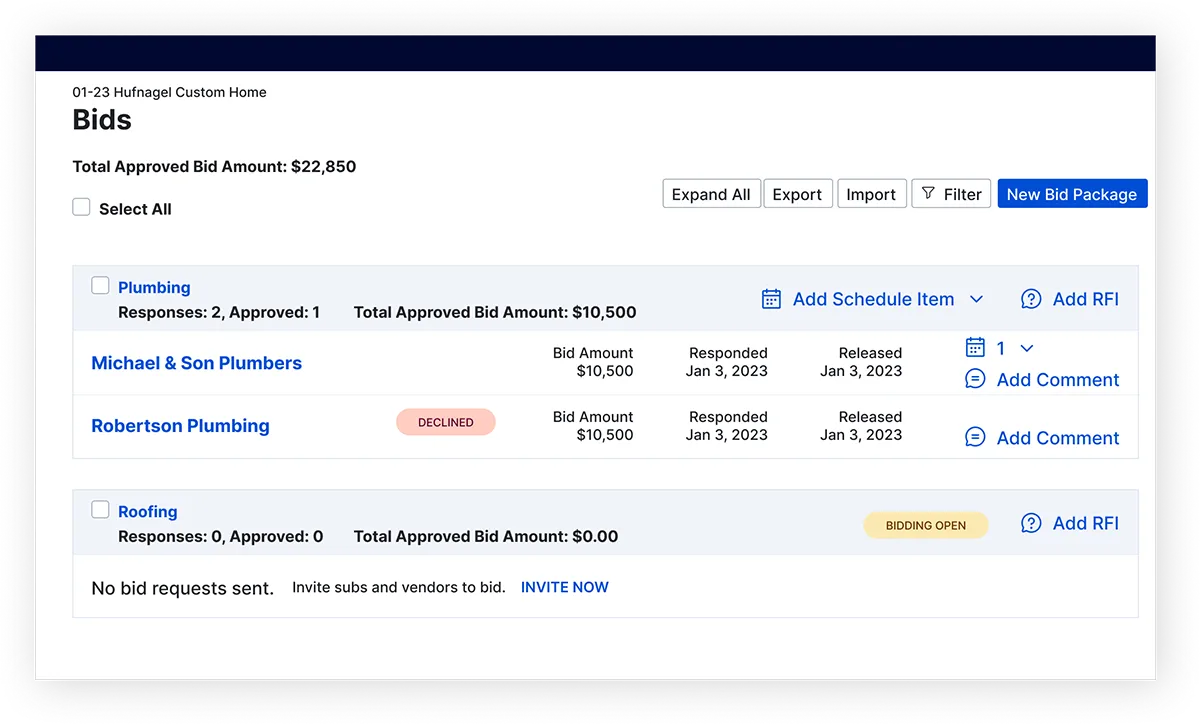
Bids

Compare subcontractor bids side by side, so you know you’re pricing the job right before you commit to it.

Bill Pay

Pay every vendor and sub on time, with bill details already pulled and matched to the right job. With AI Bill Pay, manual entry won’t slow down your draw schedule ever again.

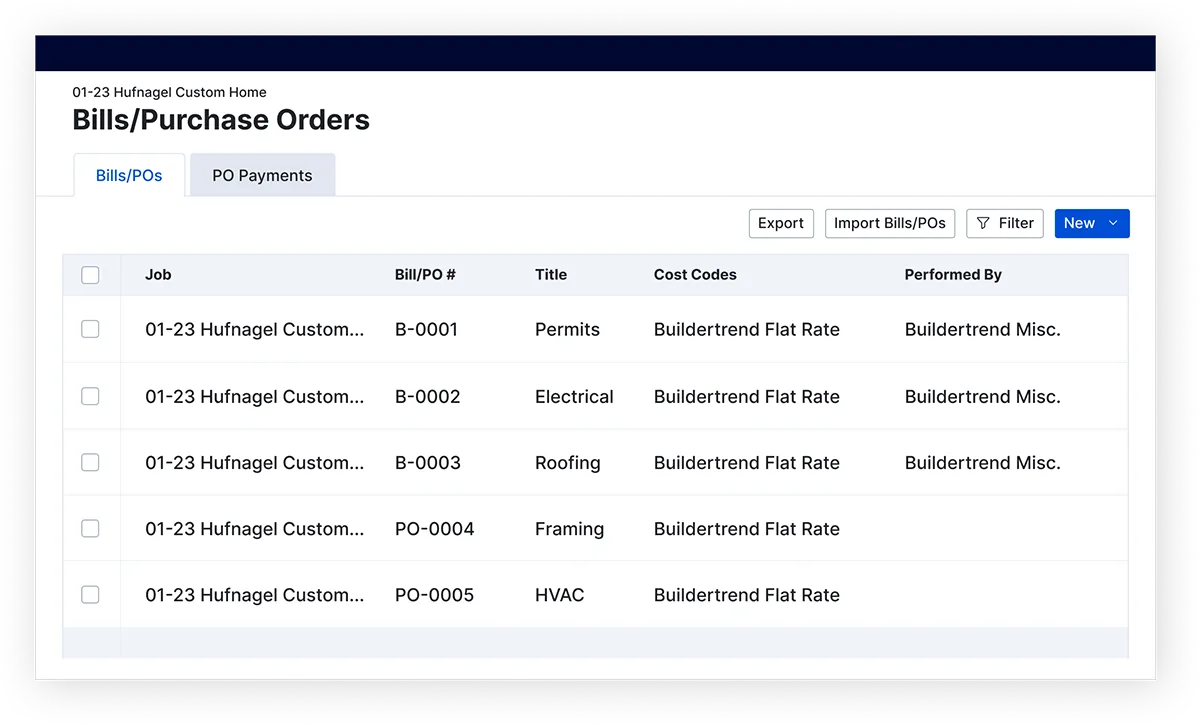
Bills & Purchase Orders

Keep every material order and vendor bill tied to the budget it belongs to, so nothing sneaks past you.

Budget

See the gap between what you estimated and what you’re actually spending the moment it opens up — not at the end of the job.

Client Payments

Get paid days faster with secure online payments buyers can complete in a click.

Estimates

Get accurate costs on every estimate, so your most profitable projects stay that way.

Invoices

Bill clients on time and watch payments land automatically as they come in.

Takeoff

Turn digital blueprints into accurate material counts in minutes, not hours of manual measuring.

Email Marketing

Stay top of mind with leads automatically, so the next ready-to-build buyer thinks of you first.

Lead Management

Know exactly where every lead stands, so you spend your time on the buyers who are actually ready to build.

Proposals

Send a detailed, professional proposal within minutes of the ask, and win the job before a competitor even replies.

Change Orders

Get change orders approved and paid on the spot, so scope creep doesn’t quietly eat your margin.

Daily Logs

Document the job once from the field, and give your whole team — and your client — the same picture of where things stand.

Scheduling

Sequence every trade, link tasks to the schedule and build in time for delay days. When something changes, your whole team knows as it happens.

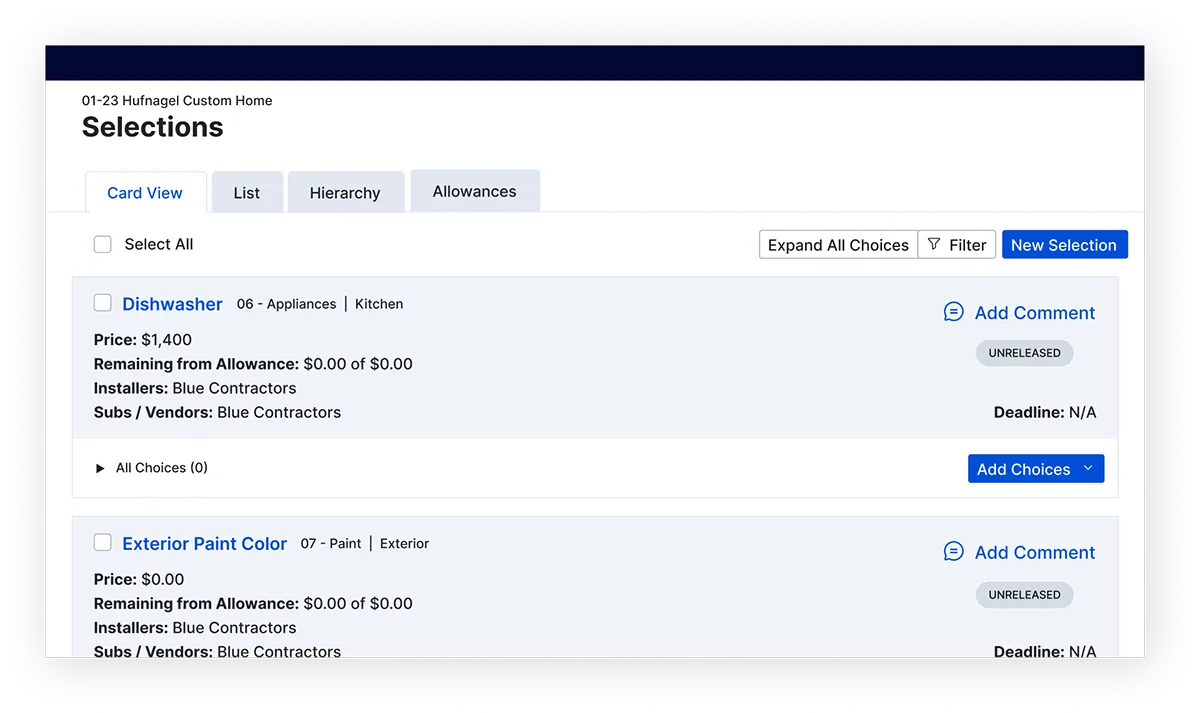
Selections

Lock in every finish and fixture your buyer picks, with the real cost attached — no surprise at the final walkthrough.

Submittals

Keep architects, engineers and subs aligned on every submittal, so approvals move at the pace your schedule needs instead of the pace of someone’s inbox.

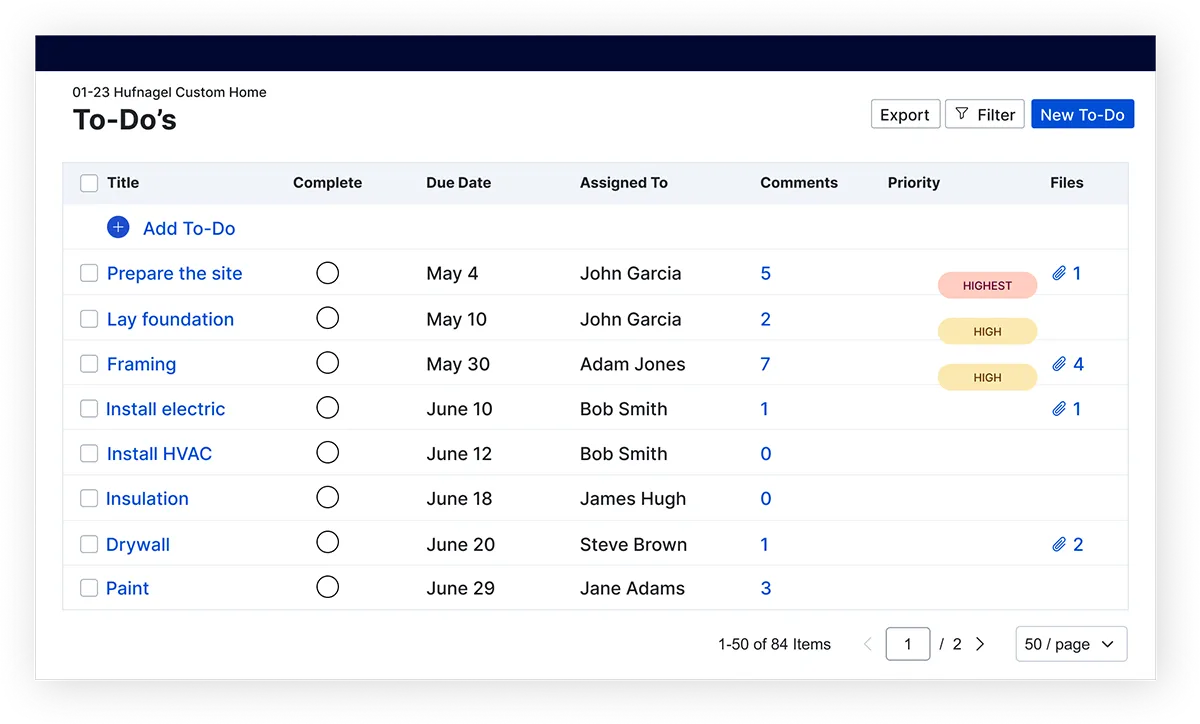
Tasks

Assign punch list items to the right person the moment they come up, so nothing gets forgotten before closing.

Time Clock

Know your real labor cost on every house, tracked straight from the job site.

Warranties

Handle warranty claims fast after closing because how you treat a buyer after handoff is what earns you the next referral.

AI Client Updates

Turn your daily site logs into a homeowner-ready progress report automatically, so buyers stay confident in a build they can’t watch happen day to day.

Chat

Get an answer from your team, subs or client the moment you need one. No waiting on a callback.

Client Portal

Let buyers check on their new home’s progress anytime, straight from their phone.

File Storage

Keep every plan, permit and photo where your team can find it, so you never have to waste hours digging through old email threads again.

Messaging / Comments

Keep every client question and team comment attached to the job it’s about, instead of buried in someone’s inbox.

Sub Portal

Give subs their own view into the project — documents, schedules and updates — so they show up knowing exactly what the job needs from them that day.

Bids

Compare subcontractor bids side by side, so you know you’re pricing the job right before you commit to it.

Bill Pay

Pay every vendor and sub on time, with bill details already pulled and matched to the right job. With AI Bill Pay, manual entry won’t slow down your draw schedule ever again.

Bills & Purchase Orders

Keep every material order and vendor bill tied to the budget it belongs to, so nothing sneaks past you.

Budget

See the gap between what you estimated and what you’re actually spending the moment it opens up — not at the end of the job.

Client Payments

Get paid days faster with secure online payments buyers can complete in a click.

Estimates

Get accurate costs on every estimate, so your most profitable projects stay that way.

Invoices

Bill clients on time and watch payments land automatically as they come in.

Takeoff

Turn digital blueprints into accurate material counts in minutes, not hours of manual measuring.

Email Marketing

Stay top of mind with leads automatically, so the next ready-to-build buyer thinks of you first.

Lead Management

Know exactly where every lead stands, so you spend your time on the buyers who are actually ready to build.

Proposals

Send a detailed, professional proposal within minutes of the ask, and win the job before a competitor even replies.

Change Orders

Get change orders approved and paid on the spot, so scope creep doesn’t quietly eat your margin.

Daily Logs

Document the job once from the field, and give your whole team — and your client — the same picture of where things stand.

Scheduling

Sequence every trade, link tasks to the schedule and build in time for delay days. When something changes, your whole team knows as it happens.

Selections

Lock in every finish and fixture your buyer picks, with the real cost attached — no surprise at the final walkthrough.

Submittals

Keep architects, engineers and subs aligned on every submittal, so approvals move at the pace your schedule needs instead of the pace of someone’s inbox.

Tasks

Assign punch list items to the right person the moment they come up, so nothing gets forgotten before closing.

Time Clock

Know your real labor cost on every house, tracked straight from the job site.

Warranties

Handle warranty claims fast after closing because how you treat a buyer after handoff is what earns you the next referral.

AI Client Updates

Turn your daily site logs into a homeowner-ready progress report automatically, so buyers stay confident in a build they can’t watch happen day to day.

Chat

Get an answer from your team, subs or client the moment you need one. No waiting on a callback.

Client Portal

Let buyers check on their new home’s progress anytime, straight from their phone.

File Storage

Keep every plan, permit and photo where your team can find it, so you never have to waste hours digging through old email threads again.

Messaging / Comments

Keep every client question and team comment attached to the job it’s about, instead of buried in someone’s inbox.

Sub Portal

Give subs their own view into the project — documents, schedules and updates — so they show up knowing exactly what the job needs from them that day.

Bids

Compare subcontractor bids side by side, so you know you’re pricing the job right before you commit to it.

Bill Pay

Pay every vendor and sub on time, with bill details already pulled and matched to the right job. With AI Bill Pay, manual entry won’t slow down your draw schedule ever again.

Bills & Purchase Orders

Keep every material order and vendor bill tied to the budget it belongs to, so nothing sneaks past you.

Budget

See the gap between what you estimated and what you’re actually spending the moment it opens up — not at the end of the job.

Client Payments

Get paid days faster with secure online payments buyers can complete in a click.

Estimates

Get accurate costs on every estimate, so your most profitable projects stay that way.

Invoices

Bill clients on time and watch payments land automatically as they come in.

Takeoff

Turn digital blueprints into accurate material counts in minutes, not hours of manual measuring.

Email Marketing

Stay top of mind with leads automatically, so the next ready-to-build buyer thinks of you first.

Lead Management

Know exactly where every lead stands, so you spend your time on the buyers who are actually ready to build.

Proposals

Send a detailed, professional proposal within minutes of the ask, and win the job before a competitor even replies.

Change Orders

Get change orders approved and paid on the spot, so scope creep doesn’t quietly eat your margin.

Daily Logs

Document the job once from the field, and give your whole team — and your client — the same picture of where things stand.

Scheduling

Sequence every trade, link tasks to the schedule and build in time for delay days. When something changes, your whole team knows as it happens.

Selections

Lock in every finish and fixture your buyer picks, with the real cost attached — no surprise at the final walkthrough.

Submittals

Keep architects, engineers and subs aligned on every submittal, so approvals move at the pace your schedule needs instead of the pace of someone’s inbox.

Tasks

Assign punch list items to the right person the moment they come up, so nothing gets forgotten before closing.

Time Clock

Know your real labor cost on every house, tracked straight from the job site.

Warranties

Handle warranty claims fast after closing because how you treat a buyer after handoff is what earns you the next referral.

AI Client Updates

Turn your daily site logs into a homeowner-ready progress report automatically, so buyers stay confident in a build they can’t watch happen day to day.

Chat

Get an answer from your team, subs or client the moment you need one. No waiting on a callback.

Client Portal

Let buyers check on their new home’s progress anytime, straight from their phone.

File Storage

Keep every plan, permit and photo where your team can find it, so you never have to waste hours digging through old email threads again.

Messaging / Comments

Keep every client question and team comment attached to the job it’s about, instead of buried in someone’s inbox.

Sub Portal

Give subs their own view into the project — documents, schedules and updates — so they show up knowing exactly what the job needs from them that day.

Beyond the schedule: The solution remodelers actually need to grow

A schedule tells you where the job stands. It doesn't tell you where your margin stands when a hidden pipe, a homeowner upgrade or a material swap changes the job halfway through. Buildertrend gives you the financial depth and operational control to scale a remodeling business, not just track one.

Improve cash flow, manage budgets and track your finances precisely, down to the last unexpected cost that shows up mid-remodel. AI Bill Capture reads vendor details and cost codes off every bill automatically, so a scope change doesn't also mean a pile of manual paperwork.

laptop graphic with product UI

Scale with integrations

Buildertrend connects to your favorite accounting, payroll and CRM platforms, so your current workflows stay intact as you take on more remodels.

Buildertrend marketplace integrations

We'll bring training to your team onsite, or your team can come learn at ours. Either way, everyone leaves actually confident running the platform, not just clicking through it. And when a question comes up at 9 p.m. on a Tuesday, digital resources are there 24/7 too.

Graphic with financial management icons

Grow faster with these resources for remodelers

BTA webinar thumbnail

How I use Buildertrend to save 20 hours per week

Watch our webinar led by home remodeler, Tankersley Construction, to see how they use our platform to make time for working on their business, rather than in it.

Three people having a discussion around a laptop

Learn tips from Jkath Design Build + Reinvent on how to use tech to tackle the challenges of home remodeling.

Graphic with calculator and construction estimate sheet.

Explore what to include in your remodeling estimates and discover our best practices to keep them accurate.
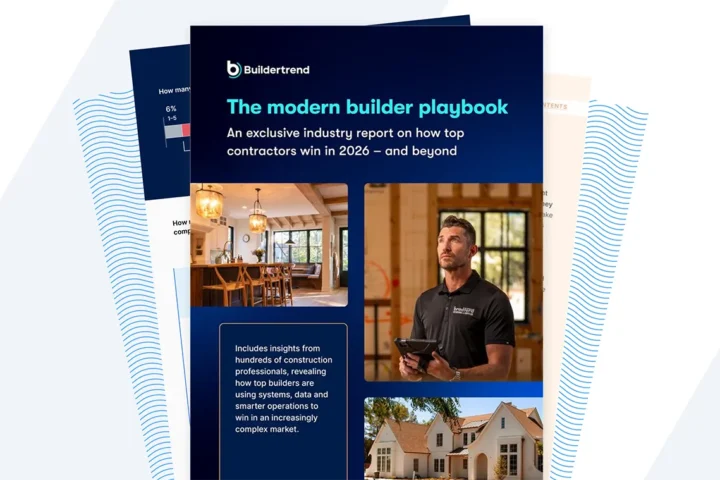
Streamline Purchasing Listicle

Learn how the industry’s best are managing projects, finances and exceeding client experiences in a complex market.
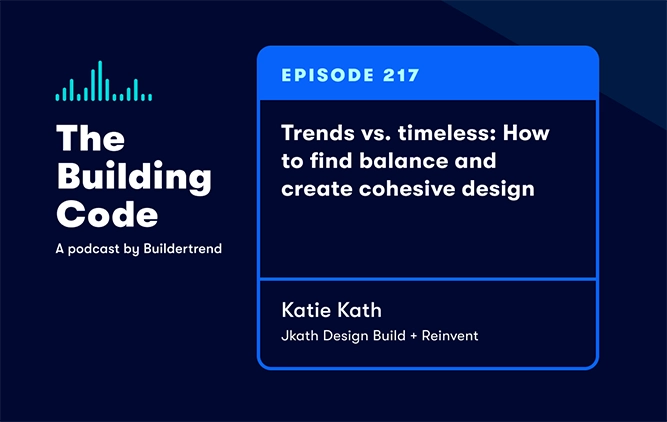
Podcast episode 217 with Katie Kath thumbnail

Tune in to our podcast to hear about current trends, explore timeless design and find balance between the two while managing homeowner expectations.

Frequently asked questions

Buildertrend helps home remodelers grow their businesses by streamlining project management, improving communication and increasing efficiency. With tools like Scheduling, the Budget and Change Orders, remodelers can manage more projects simultaneously, while keeping everything organized and on track.

Buildertrend’s Customer Portal also enhances client communication, leading to better client satisfaction and more referrals. Features like the Estimate and Invoices help remodelers maintain control over their budgets and profitability.

Plus, the software’s reporting and analytics tools provide data-driven insights to help remodelers make informed decisions as they scale their operations.

Buildertrend keeps home remodeling clients involved and updated through its Customer Portal, which provides real-time access to key project details, and AI Client Updates, which turns your daily logs into a homeowner-ready progress report automatically. Clients can review and approve Change Orders, track the project timeline and communicate directly with their contractor within the platform.  This transparency and easy access to information helps keep clients informed, engaged and confident throughout the remodeling process.

Buildertrend helps home remodelers coordinate their crews and subs by offering tools like Scheduling, To-Do’s and Daily Logs, which allow remodelers to assign specific tasks, set deadlines and monitor progress in real-time.

Subcontractors and crew members can access the schedule from anywhere, receive automatic notifications for updates or changes and communicate directly within the platform. This ensures everyone stays aligned, reduces miscommunication and helps keep projects on track.

Home remodel software like Buildertrend helps established remodelers increase profitability by streamlining operations, reducing costly errors and improving project visibility. With tools for accurate estimating, budgeting and job costing, remodelers can better control project expenses and prevent budget overruns.

Features like Change Orders and Invoices ensure timely client approvals and payments, while enhanced scheduling and communication tools help prevent delays.

By optimizing project management and efficiency, remodelers can take on more jobs without sacrificing quality, ultimately boosting their bottom line.