Buildertrend product updates
Better software for bettering your business
You rely on our software to run a successful construction business. And that’s why we’re constantly making changes to our features and processes to help you work simpler. Check out some of our most recent updates.
May product updates
This month’s updates focus on creating stronger alignment across scope, plans, financials and field execution helping your team move faster and keep every stakeholder working from the same source of truth.
Learn more

Submittals
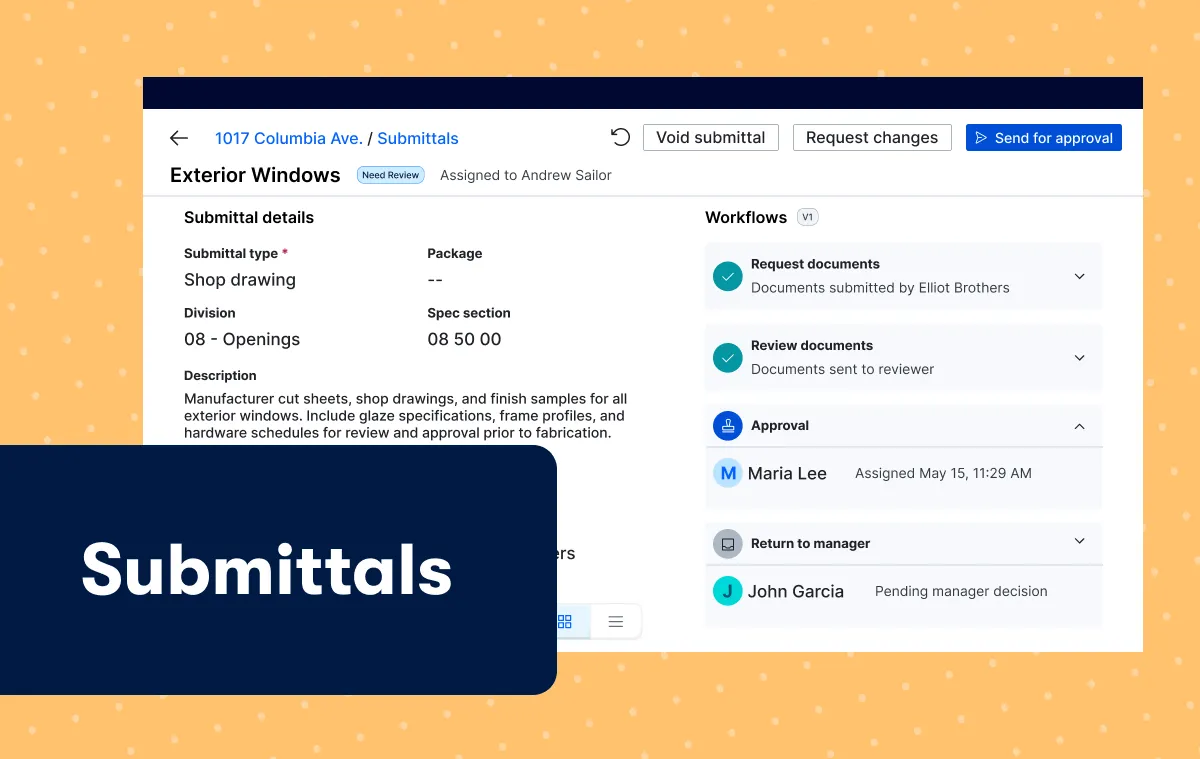
Buildertrend now centralizes submittals into a clear, structured approval process so builders can confirm the right materials and procedures throughout the building process. With everyone aligned and signed off upfront, teams reduce risk and protect schedules and budgets – all while delivering consistent, high‑quality builds.
April product updates
This month’s updates focus on connecting your project data from start to finish, from building scope and managing plans, to how your costs flow through the platform, you now have improved visibility and control at every stage of the job.
Learn more
Smarter projected costs
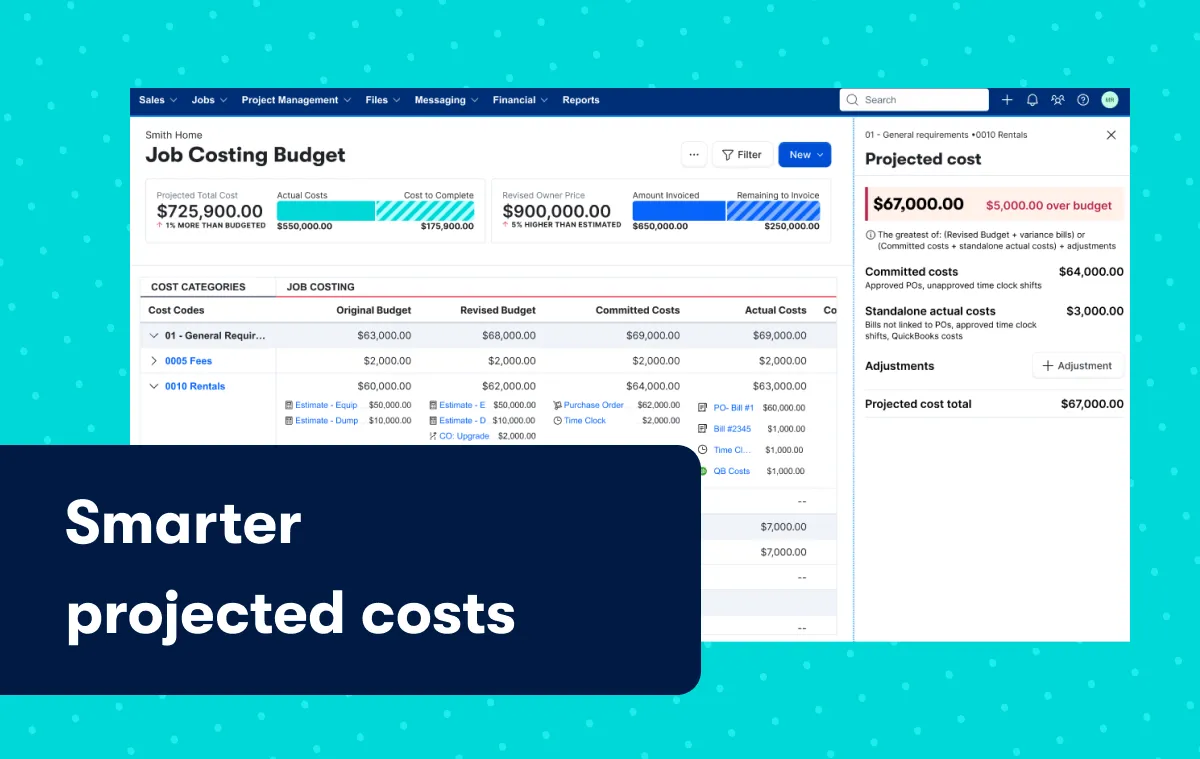
Experience an improved calculation method within the Job Costing Budget that provides a more accurate forecast of a job’s total cost exposure. This helps you identify risk sooner and forecast with greater confidence. Instead of separating different commitments across multiple columns, Projected Costs now aggregates them into a single projection. This helps surface potential budget exposure earlier so builders can respond sooner.
March product updates
This month’s updates focus on strengthening connections across your workflows – from how you plan and execute work in the field to how you manage costs, approvals and reporting behind the scenes.
Learn more
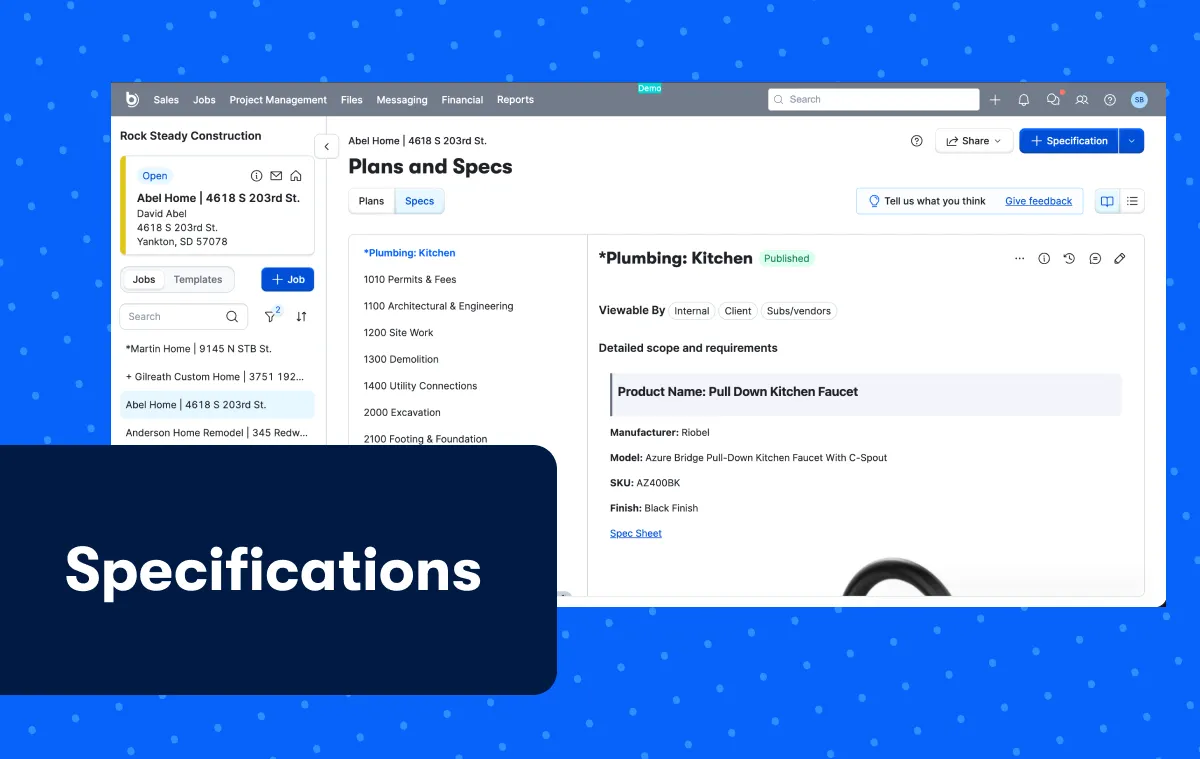
Specifications
Turn estimates into clear, shareable specs that keep builders, subs and clients aligned from bid to closeout cutting confusion, rework and missed details throughout the build.
February product updates
This month’s updates focus on tighter scope control, stronger financial visibility and more connected workflows – helping you manage projects with greater clarity.
Learn more

Bill pay
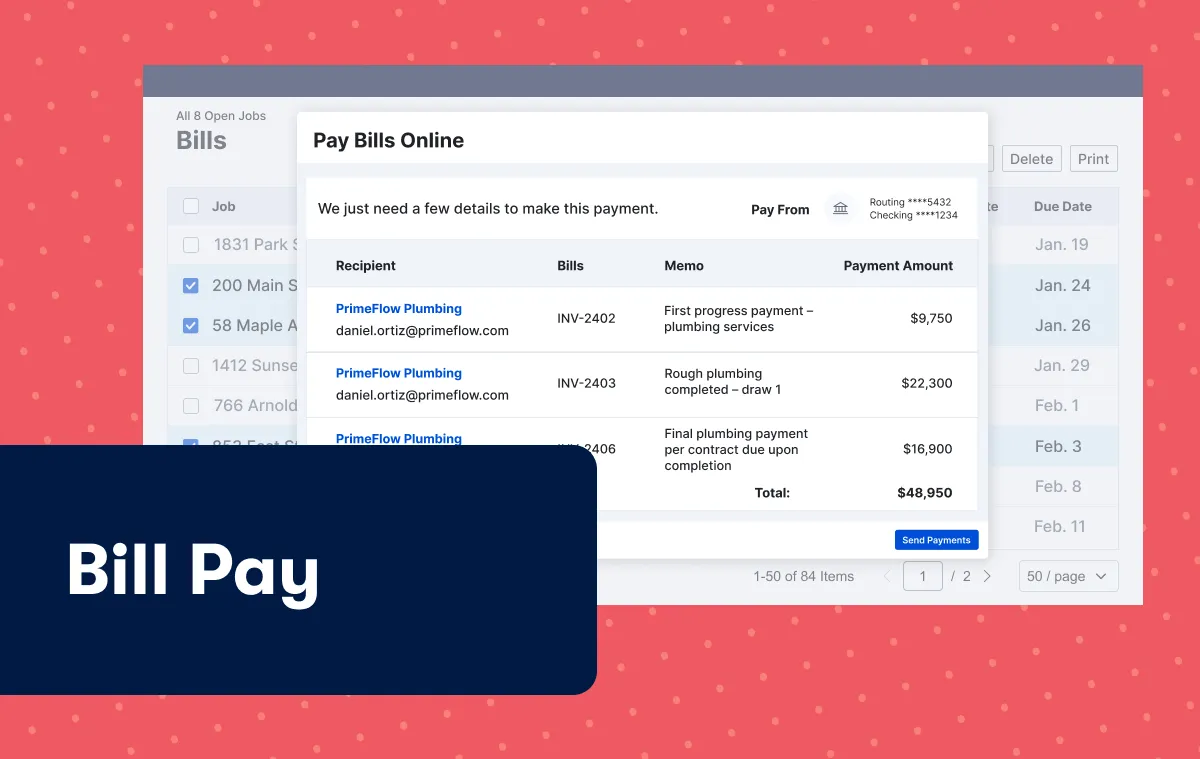
With Bill Pay and secure ACH payments built directly into Buildertrend, you can quickly review, approve and send payments in one place while keeping your team and vendors aligned. Know what’s been paid and what’s outstanding – so you stay in control of your cash flow.