Construction plans and specs software
Clear specs. Accurate plans. Zero guesswork.
Buildertrend keeps specs and plans centralized so your team always builds from the right version, the first time. Specs align builders, subs and clients from bid to closeout, and plans put the current set in every hand on the job site. Less confusion. Less rework. More jobs done right.
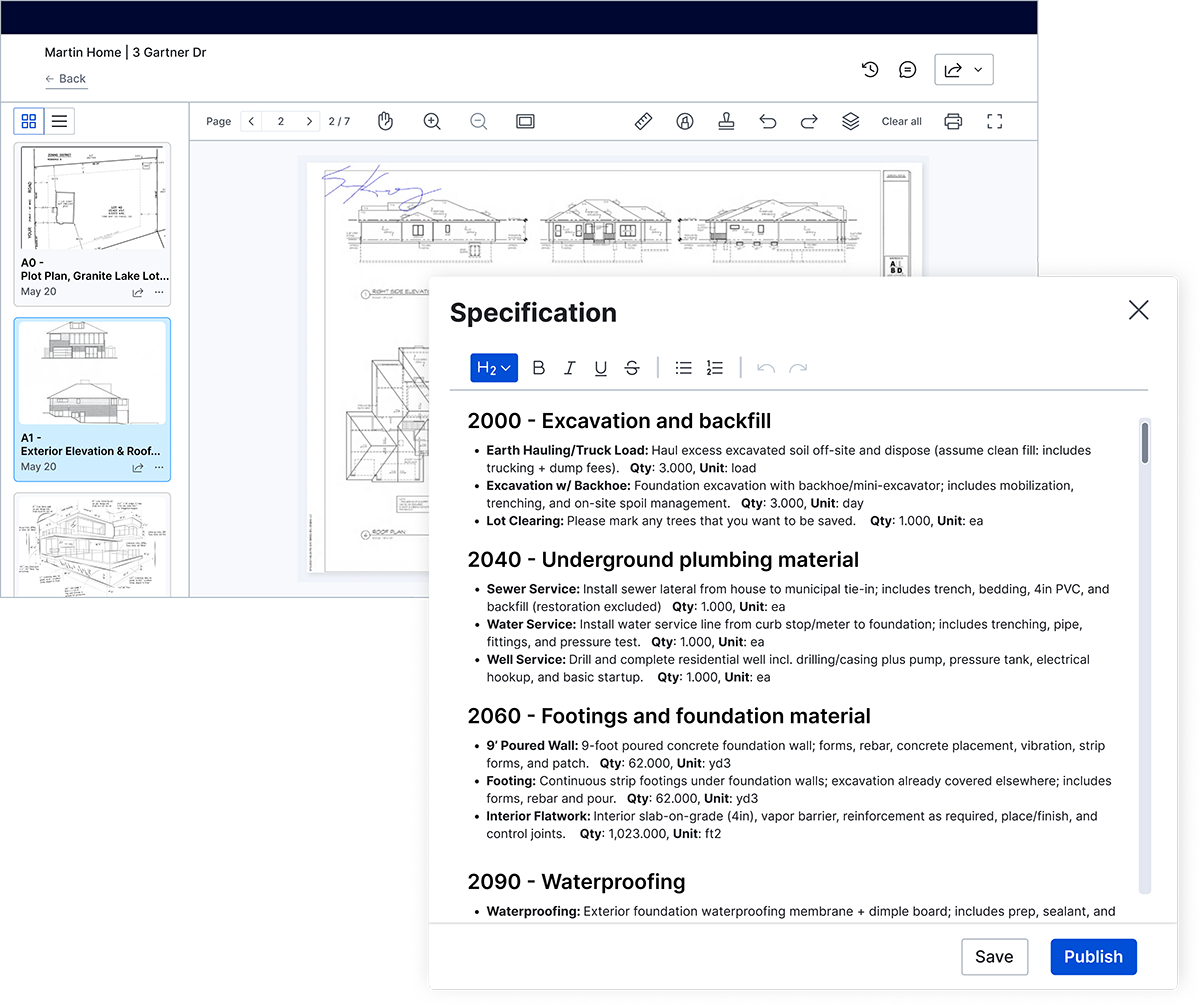
Login-free links and QR codes give subs instant access to the latest plans – without needing a Buildertrend account.

Successful builders trust Buildertrend’s Specs and Plans tools




Same specs. Same plans. Same page.
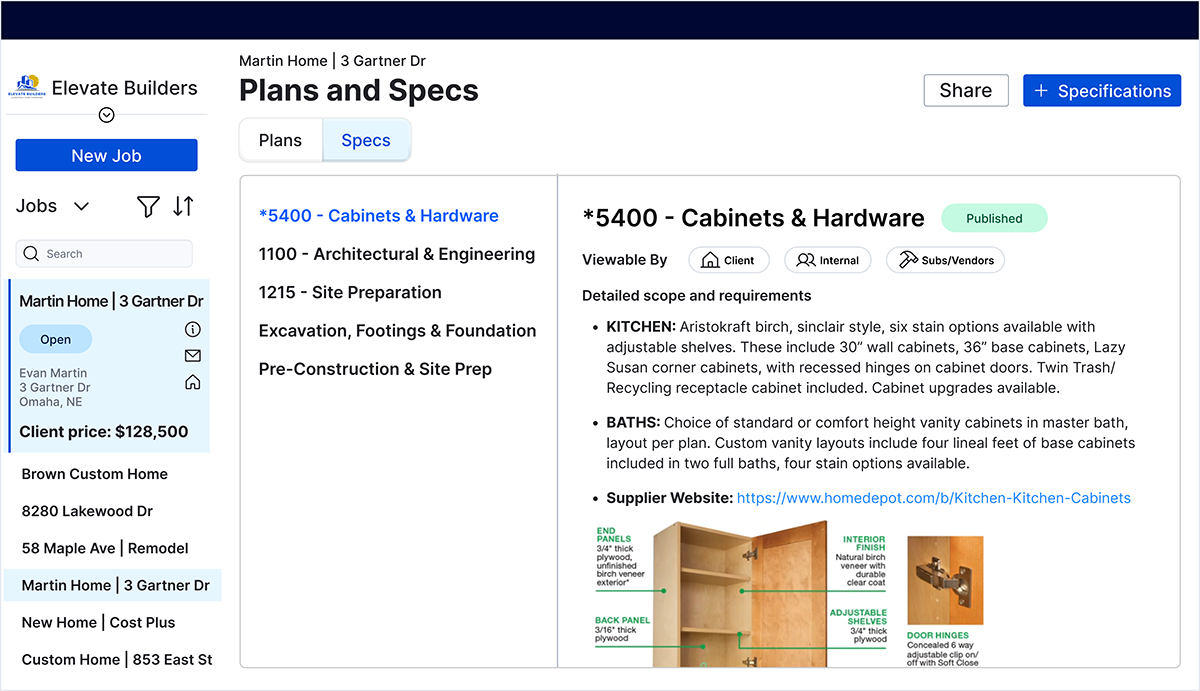
Cut rework before it costs you
- Specs turn estimates into detailed shareable documents so material and installation standards are clear from day one.
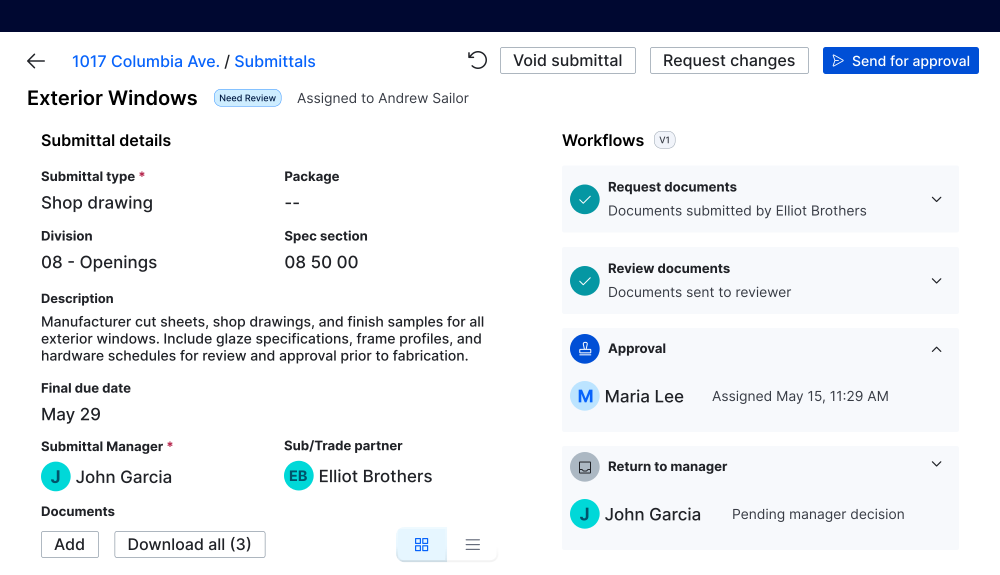
- Specs form the foundation of the submittal process, so approvals happen before any work begins and everyone stays aligned.
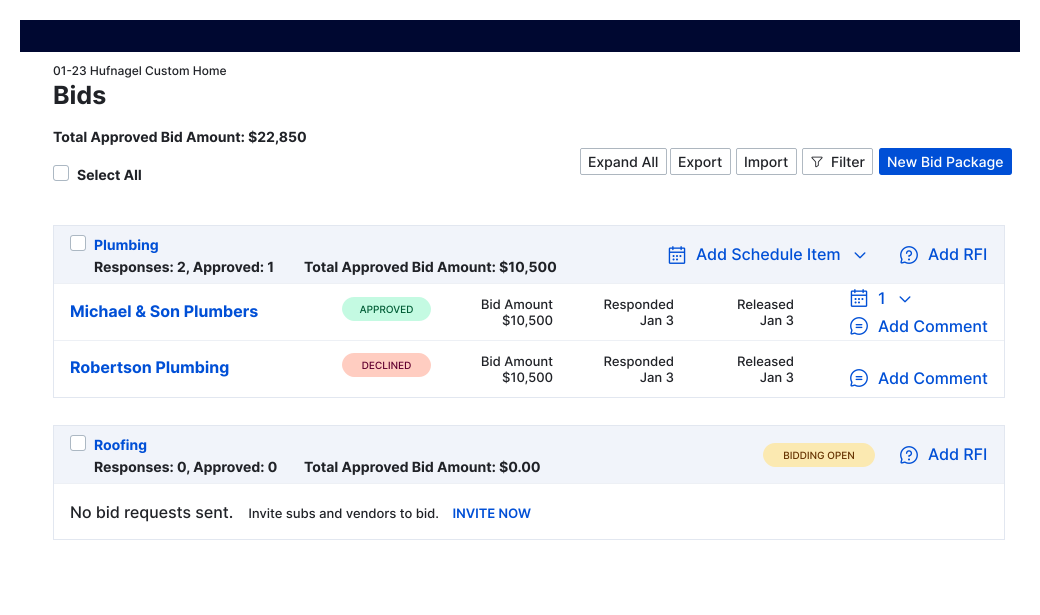
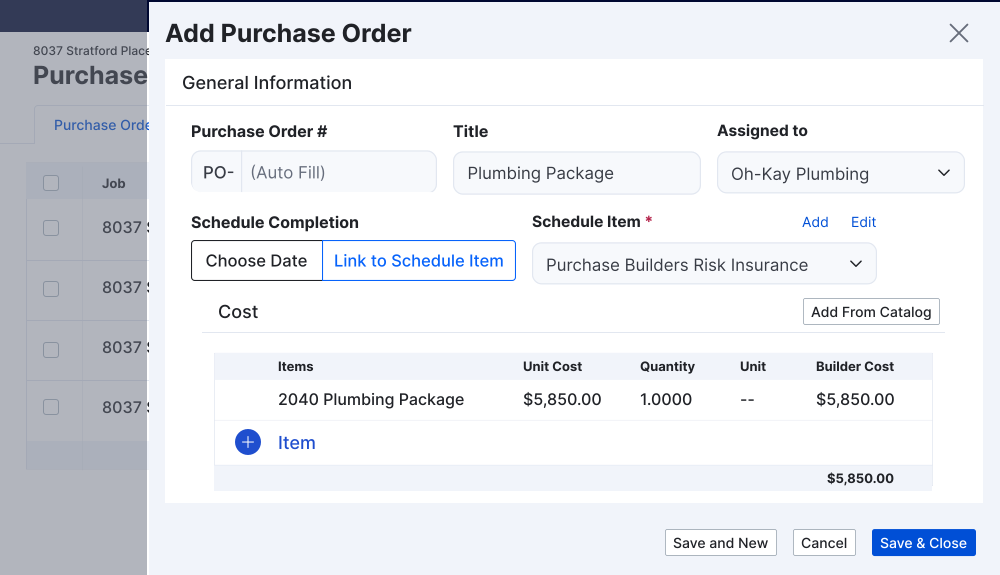
- Bids and purchase orders stay linked to the original spec, catching mismatches before they hit the job site.
Build from the right set, every time
- Centralized plan management means your team always pulls from the current version, not an email attachment from three weeks ago.
- Login-free links and QR codes give subs instant access to the latest plans without needing an account.
- Updates sync automatically, so revisions reach the field the moment they’re approved.
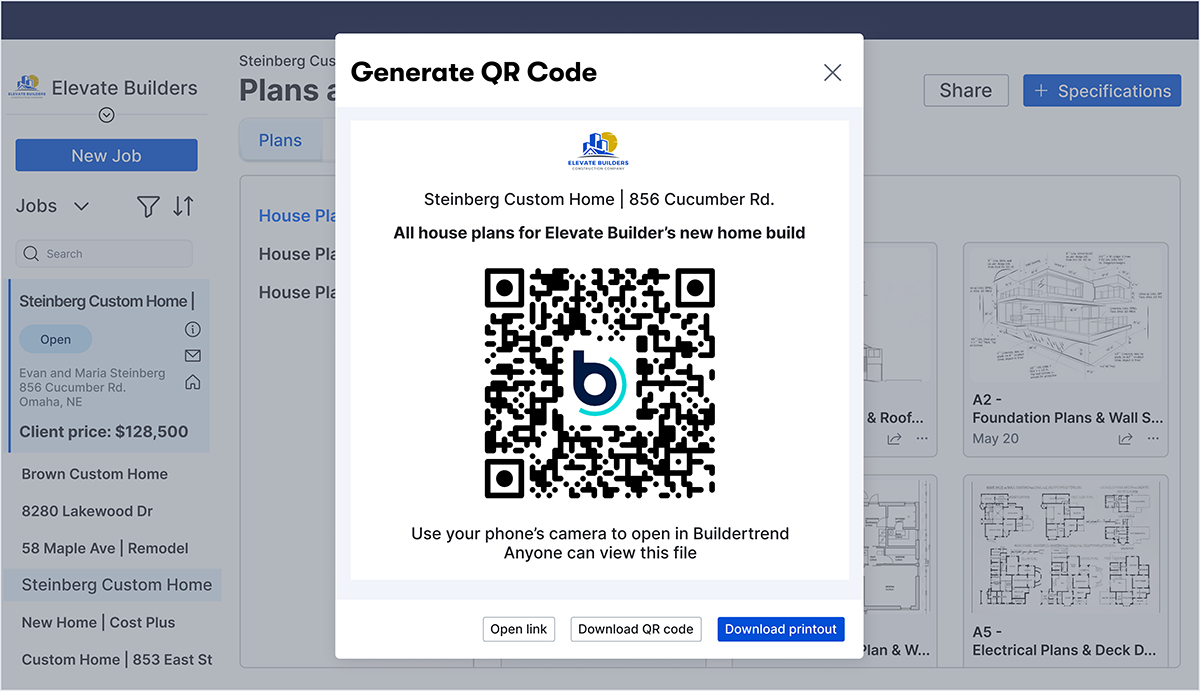
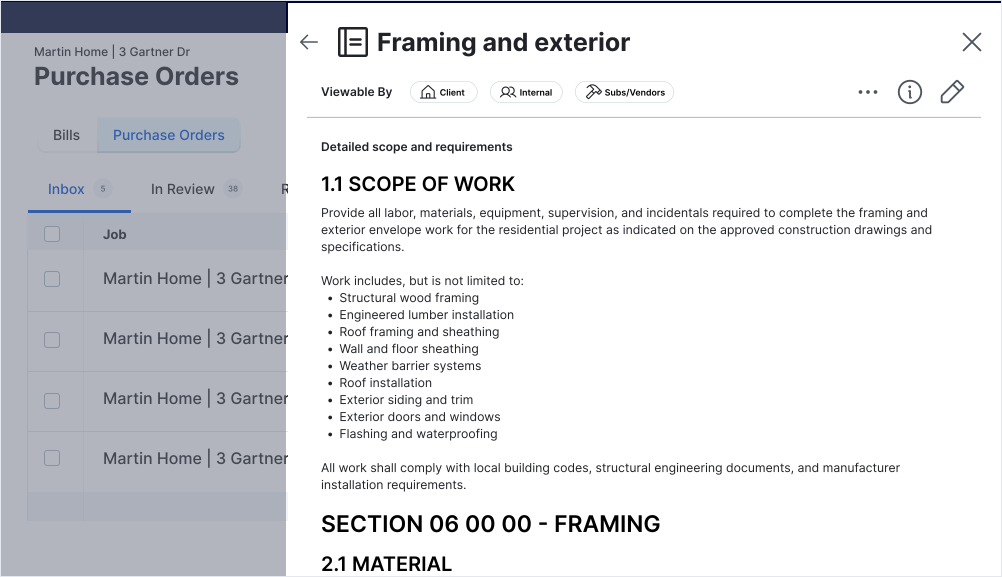
Keep clients and subs on the same page
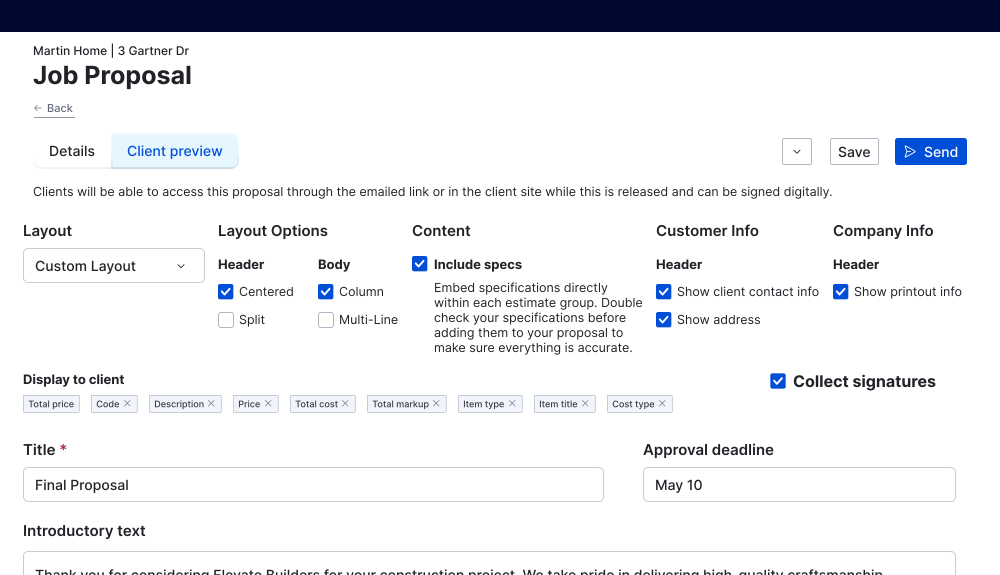
- Specs are carried through to the proposal – so you can show your client the level of detail and service that goes into every phase of their project.
- Shareable links let clients and subs view specs and plans without logging in, reducing the back and forth over email.
- One source of truth for specs and plans means fewer calls asking “which version am I supposed to use.”
Features built to reduce daily chaos
| Buildertrend feature | What it does |
|---|---|
| Detailed spec creation | Turn estimates into long-form written specs that outline materials, installation methods and quality standards. |
| Version control | Keep the most current spec version accessible to everyone on the job, no outdated copies floating around. |
| Submittals | Track and approve materials and installation methods against the spec before they’re ordered or installed onsite. |
| Financial linking | Tie bids and purchase orders directly to spec details so subs know scope and scale and what’s ordered matches what’s approved. |
| Centralized plan management | Store every plan set in one place so the team always builds from the right version. |
| Login-free share links | Send plans to subs or clients who can view them instantly without creating an account. |
| QR code access | Scan a code on-site to pull up the current plan set on any device. |
| Mobile access | View and reference specs and plans from the field on any device. |
| Offline mode | Access specs and plans in the field even without a signal. |
Top builders use Specs and Plans with confidence
Specs and Plans – integrated to save you time
Experience smoother builds
Frequently asked questions about Buildertrend’s Specs and Plans tools
Yes. Specs and Plans are accessible from any device in the field, so your team has the right information on hand without heading back to the office.
Yes. Login-free share links and QR codes let subs and clients view current specs and plans instantly without creating an account.
Yes. Specs and Plans link to Bids, Proposals, Purchase Orders, Invoices, Selections and Submittals, so scope and pricing stay consistent from bid to closeout.
Centralized plan management stores every version in one place. When a plan updates, the current set is what everyone sees, so no one builds from an old copy.
Specs are detailed written documents that outline materials, installation methods and quality standards. Plans are the visual drawings and blueprints that guide the actual build. Buildertrend keeps both connected so your team always works from the same information.
Schedule a demo
Set aside 30 minutes to chat with a friendly Buildertrend rep and discover firsthand how our platform can improve your business – and transform the way you work.

Based on 5,000 reviews on



Tell us a bit about yourself
By submitting this form, you are agreeing to our Terms and Conditions Agreement and Privacy Notice. This site is protected by Google reCAPTCHA.