Construction scheduling software
Eliminate double-booked crews and scattered calendars
With Buildertrend’s Schedule tool, you can keep every moving part of your project aligned – from subcontractors to inspections – all in one place. Instantly see how change orders or delays impact your timeline, make quick adjustments and keep every stakeholder informed. The result? Smoother builds and fewer surprises.
Successful builders trust Buildertrend’s Schedule tool




Link every task, team and timeline together
Ditch disconnected teams and poor communication
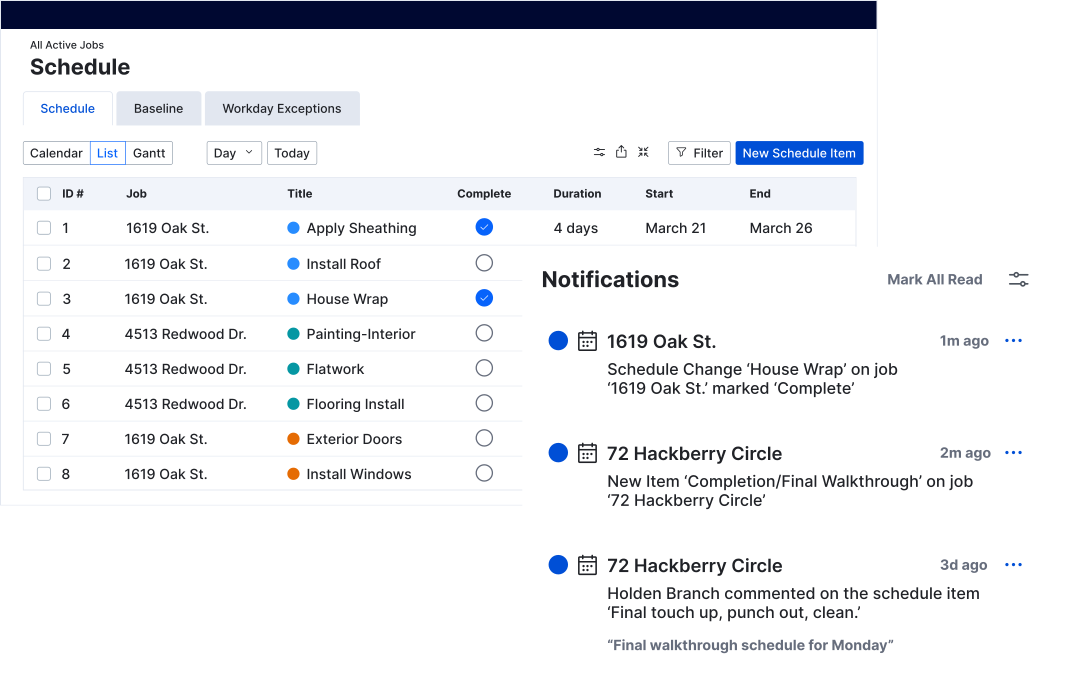
- All scheduling updates and communications are centralized in one platform.
- Subs and team members are instantly notified of any changes or new tasks.
- Everyone – including clients – stays aligned with real-time visibility into the project timeline.
Stop constant rescheduling due to delays and dependencies
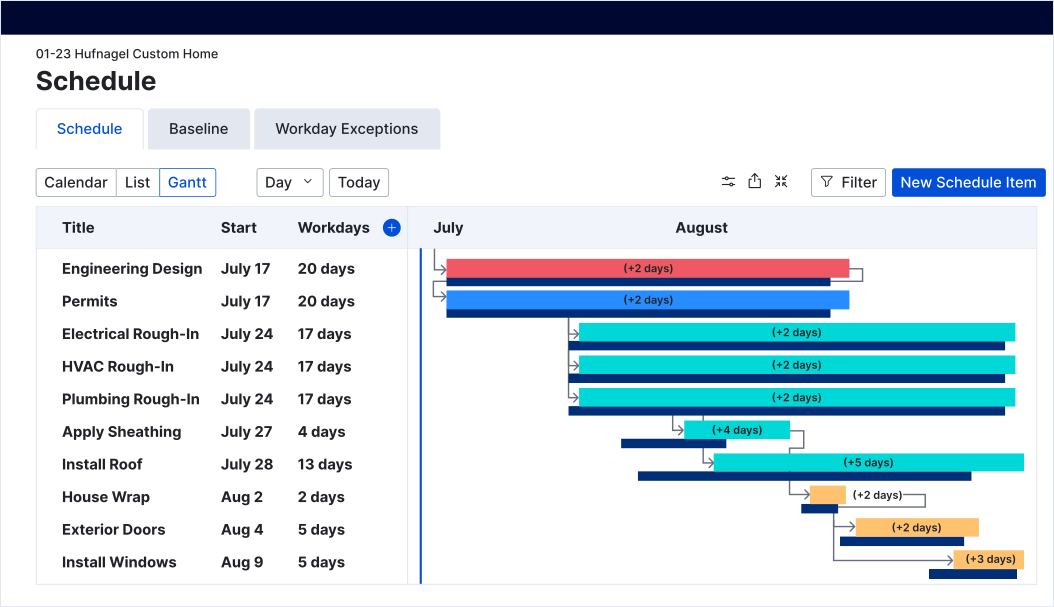
- When predecessors shift, connected tasks automatically adjust to reflect those changes.
- Dependencies are highlighted, so you can plan proactively and avoid bottlenecks.
- Inspections and change orders are tracked to keep your schedule accurate and realistic.
Gain total clarity and control over your calendar
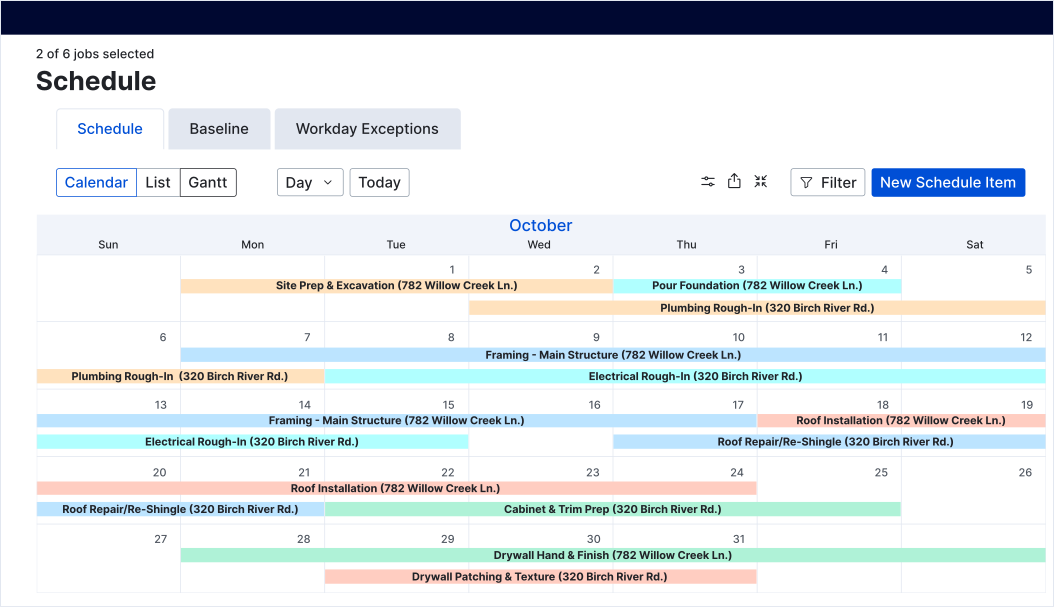
- Schedule items can be color-coded by trade or task type, and all job schedules are viewed in one dashboard for complete oversight.
- Personal days, weather delays or holidays can be overlayed for real-world accuracy.
- Your project schedules are easily synced from Buildertrend to Google Calendar or Outlook.
Real results from real builders
0
%
of projects are finished late without Buildertrend*
*Source: 2025 State of Residential Construction Industry annual report
0
%
more productive teams with Buildertrend’s Schedule
0
%
hours saved per week with the Schedule tool
Hear how a top customer found success with the Schedule
Bradford Custom Homes & Remodeling considers the Buildertrend Schedule one of their four pillars of success. Everyone on the team can access it one place and key parties are notified when changes occur. Their team uses it every day and it’s a huge reason why their projects are completed on time – every time.


Schedule features built to reduce daily chaos
| Buildertrend feature | What it does |
|---|---|
| Gantt charts | Visualize your entire project timeline, spot conflicts and manage predecessors and dependencies at a glance. Great for larger, complex builds. |
| Critical path method scheduling | Identify tasks that impact your project’s completion date, helping you prioritize and avoid delays. |
| Mobile access with offline mode | Keep your schedule updated and accessible from the field, even without Wi-Fi, so nothing falls through the cracks. |
| Sharing with subs and clients via portals | Keep everyone informed by sharing schedules by item or phase, reducing miscommunication and double bookings. |
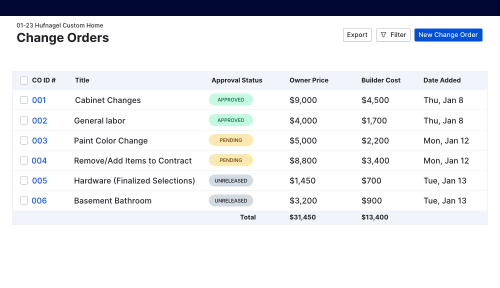
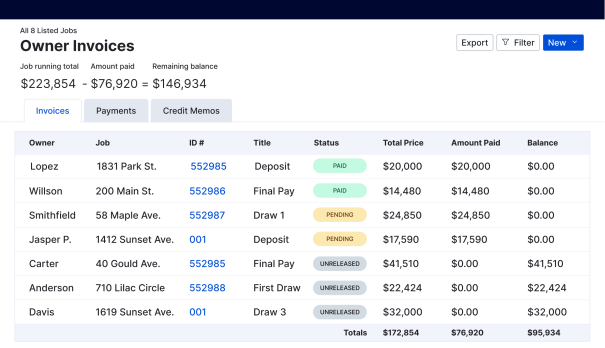
| Integration with Change Orders and Invoices | Automatically reflect updates and adjustments across your workflow in Buildertrend, saving time and improving accuracy. |
| Templates | Quickly start new projects without building schedules from scratch, ensuring consistency and efficiency. |
| Multiple views | Customize how you see your schedule with Gantt, agenda and standard calendar options to suit your preference and processes. |
| Baseline | Capture a snapshot of your original project timeline to measure how your project is performing compared to the initial plan. |
| File attachments | Attaching files to a schedule item allows you to keep important documents such as plans, permits or photos directly connected to the work being done. |
| Notifications | When schedule items shift, all assignees are automatically notified through text, email or push notifications based on their settings. |
Top builders are scheduling with confidence
Smart scheduling – integrated to save you time
Experience smoother scheduling for your builds
Frequently asked questions about Buildertrend’s construction estimating software
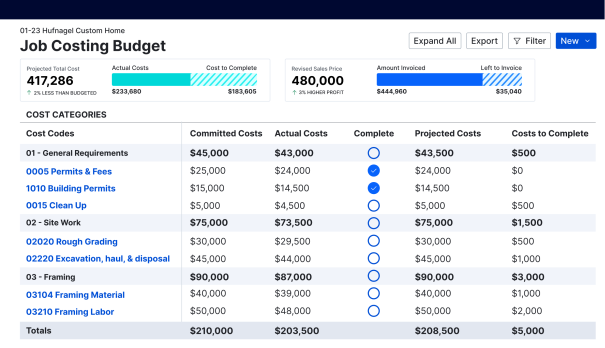
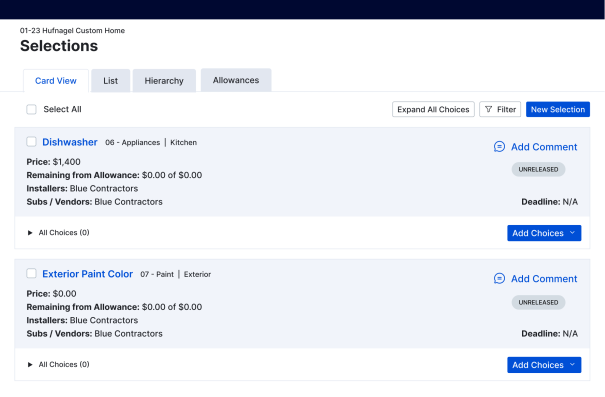
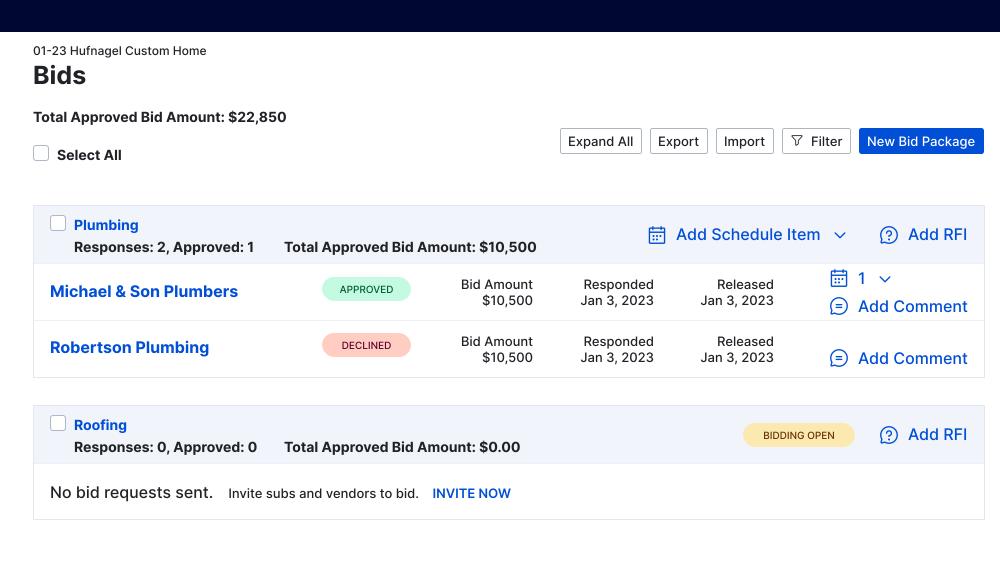
Buildertrend’s Schedule connects seamlessly with other tools in the platform, including Change Orders, Tasks, Invoices, Selections, Bids and Job Costing, ensuring that your entire construction workflow is coordinated and updates automatically across systems. It also integrates with Google Calendar and Outlook, so you don’t have to worry about double entry.
Yes. Buildertrend lets you oversee multiple jobs from a single dashboard, so you can compare timelines, allocate resources efficiently and ensure every project stays on track, even across different locations.
Absolutely. With mobile access and offline mode, subs and project managers can update tasks, track progress and communicate changes directly from the field – even without Wi-Fi – keeping your projects moving smoothly.
The Schedule tool allows you to link tasks, set dependencies and visualize the critical path, so you can see which delays will impact the overall timeline and proactively adjust schedules before problems arise.
Yes. Buildertrend supports multiple views, including Gantt, agenda and standard calendar. It also allows for phase-based scheduling, making it easy to manage remodels, additions or complex multi-phase construction projects.
Schedule a demo
Set aside 30 minutes to chat with a friendly Buildertrend rep and discover firsthand how our platform can improve your business – and transform the way you work.

Based on 5,000 reviews on



Tell us a bit about yourself
By submitting this form, you are agreeing to our Terms and Conditions Agreement and Privacy Notice. This site is protected by Google reCAPTCHA.