For specialty contractors where every job is client-facing and every detail matters

Man kneeling on floor working

Every job is a little different – different homeowner, different selections, different crew onsite. Buildertrend keeps each one moving without losing the details that make or break the client experience, from the first sketch to the final walkthrough.

  • Planning and design

    Buildertrend streamlines the planning and design phase for specialty contractors by offering tools to manage proposals, estimate costs and track selections in one platform. It also allows contractors to share design updates and collaborate with clients and teams in real time, ensuring smoother communication and fewer revisions.

    list-image
  • Pre-construction

    Simplify the pre-construction phase with tools to organize schedules, track permits and manage budgets. Buildertrend also helps streamline communication with clients and subcontractors, so all parties stay aligned on project details before breaking ground.

    list-image
  • Construction and execution

    Buildertrend’s features allow teams to update schedules, document progress and handle change orders directly from the field. When you’re running up to dozens of jobs at once, writing a detailed client update for each one eats away at hours – so AI Client Updates turns your daily logs into a homeowner-ready progress report automatically. Crew members document the job once, and clients and project managers both stay informed without anyone stopping to write a separate update.

    list-image
  • Post-construction and closeout

    Easily manage punch lists, complete final inspections and gather client approvals within the Buildertrend platform. Plus, warranties, final payments and important documents are collected and stored in one place for easy access and future reference.

    list-image

Communicate. Collaborate. Connect.

You’re not the only contractor struggling to …

Cash flow problems run both directions. Slow payments from clients tie up money you’re owed, and slow bill processing hides money you owe. Buildertrend closes both gaps: automated invoicing and online payments get you paid faster, while AI Bill Capture and Bill Pay keep your outgoing bills moving without manual entry. Either way, you always know your real cash position.

Managing so many jobs at the same time makes it easy for details to slip. Buildertrend gives you one view across every active job –  schedules, budgets and communication together – so your team always knows what’s happening and where.

The cost of materials is constantly changing, and shortages or delays due to supply chain issues make it difficult to estimate project costs accurately. Buildertrend provides real-time cost tracking and supplier management tools, allowing contractors to adjust budgets and timelines quickly.

Zoomed in photo of person using tablet

Why Buildertrend?

Hear how our tech has helped successful contractors tackle industry challenges.

Custom Decks logo
BRR contractors logo
Dale Ervin Jr. headshot

Dale Ervin Jr.

Custom Decks

Art Pontes headshot

Art Pontes

BRR Contractors

Need something done?

We’ve got a tool for it.

Financial features

Financial management features

Sales features

Sales management features

Project features

Project management features

Communication features

Communication management features

Bids

Compare subcontractor bids side by side, so you know you’re pricing the job right before you commit to it.

Bill Pay

Pay every vendor and sub on time, with bill details already pulled and matched to the right job. With AI Bill Pay, manual entry won’t slow down your draw schedule ever again.

Bills & Purchase Orders

Keep every material order and vendor bill tied to the budget it belongs to, so nothing sneaks past you.

Budget

See the gap between what you estimated and what you’re actually spending the moment it opens up — not at the end of the job.

Client Payments

Get paid days faster with secure online payments buyers can complete in a click.

Estimates

Get accurate costs on every estimate, so your most profitable projects stay that way.

Invoices

Bill clients on time and watch payments land automatically as they come in.

Takeoff

Turn digital blueprints into accurate material counts in minutes, not hours of manual measuring.

Email Marketing

Stay top of mind with leads automatically, so the next ready-to-build buyer thinks of you first.

Lead Management

Know exactly where every lead stands, so you spend your time on the buyers who are actually ready to build.

Proposals

Send a detailed, professional proposal within minutes of the ask, and win the job before a competitor even replies.

Change Orders

Get change orders approved and paid on the spot, so scope creep doesn’t quietly eat your margin.

Daily Logs

Document the job once from the field, and give your whole team — and your client — the same picture of where things stand.

Scheduling

Sequence every trade, link tasks to the schedule and build in time for delay days. When something changes, your whole team knows as it happens.

Selections

Lock in every finish and fixture your buyer picks, with the real cost attached — no surprise at the final walkthrough.

Submittals

Keep architects, engineers and subs aligned on every submittal, so approvals move at the pace your schedule needs instead of the pace of someone’s inbox.

Tasks

Assign punch list items to the right person the moment they come up, so nothing gets forgotten before closing.

Time Clock

Know your real labor cost on every house, tracked straight from the job site.

Warranties

Handle warranty claims fast after closing because how you treat a buyer after handoff is what earns you the next referral.

AI Client Updates

Turn your daily site logs into a homeowner-ready progress report automatically, so buyers stay confident in a build they can’t watch happen day to day.

Chat

Get an answer from your team, subs or client the moment you need one. No waiting on a callback.

Client Portal

Let buyers check on their new home’s progress anytime, straight from their phone.

File Storage

Keep every plan, permit and photo where your team can find it, so you never have to waste hours digging through old email threads again.

Messaging / Comments

Keep every client question and team comment attached to the job it’s about, instead of buried in someone’s inbox.

Sub Portal

Give subs their own view into the project — documents, schedules and updates — so they show up knowing exactly what the job needs from them that day.

Bids

Compare subcontractor bids side by side, so you know you’re pricing the job right before you commit to it.

Bill Pay

Pay every vendor and sub on time, with bill details already pulled and matched to the right job. With AI Bill Pay, manual entry won’t slow down your draw schedule ever again.

Bills & Purchase Orders

Keep every material order and vendor bill tied to the budget it belongs to, so nothing sneaks past you.

Budget

See the gap between what you estimated and what you’re actually spending the moment it opens up — not at the end of the job.

Client Payments

Get paid days faster with secure online payments buyers can complete in a click.

Estimates

Get accurate costs on every estimate, so your most profitable projects stay that way.

Invoices

Bill clients on time and watch payments land automatically as they come in.

Takeoff

Turn digital blueprints into accurate material counts in minutes, not hours of manual measuring.

Email Marketing

Stay top of mind with leads automatically, so the next ready-to-build buyer thinks of you first.

Lead Management

Know exactly where every lead stands, so you spend your time on the buyers who are actually ready to build.

Proposals

Send a detailed, professional proposal within minutes of the ask, and win the job before a competitor even replies.

Change Orders

Get change orders approved and paid on the spot, so scope creep doesn’t quietly eat your margin.

Daily Logs

Document the job once from the field, and give your whole team — and your client — the same picture of where things stand.

Scheduling

Sequence every trade, link tasks to the schedule and build in time for delay days. When something changes, your whole team knows as it happens.

Selections

Lock in every finish and fixture your buyer picks, with the real cost attached — no surprise at the final walkthrough.

Submittals

Keep architects, engineers and subs aligned on every submittal, so approvals move at the pace your schedule needs instead of the pace of someone’s inbox.

Tasks

Assign punch list items to the right person the moment they come up, so nothing gets forgotten before closing.

Time Clock

Know your real labor cost on every house, tracked straight from the job site.

Warranties

Handle warranty claims fast after closing because how you treat a buyer after handoff is what earns you the next referral.

AI Client Updates

Turn your daily site logs into a homeowner-ready progress report automatically, so buyers stay confident in a build they can’t watch happen day to day.

Chat

Get an answer from your team, subs or client the moment you need one. No waiting on a callback.

Client Portal

Let buyers check on their new home’s progress anytime, straight from their phone.

File Storage

Keep every plan, permit and photo where your team can find it, so you never have to waste hours digging through old email threads again.

Messaging / Comments

Keep every client question and team comment attached to the job it’s about, instead of buried in someone’s inbox.

Sub Portal

Give subs their own view into the project — documents, schedules and updates — so they show up knowing exactly what the job needs from them that day.

Bids

Compare subcontractor bids side by side, so you know you’re pricing the job right before you commit to it.

Bill Pay

Pay every vendor and sub on time, with bill details already pulled and matched to the right job. With AI Bill Pay, manual entry won’t slow down your draw schedule ever again.

Bills & Purchase Orders

Keep every material order and vendor bill tied to the budget it belongs to, so nothing sneaks past you.

Budget

See the gap between what you estimated and what you’re actually spending the moment it opens up — not at the end of the job.

Client Payments

Get paid days faster with secure online payments buyers can complete in a click.

Estimates

Get accurate costs on every estimate, so your most profitable projects stay that way.

Invoices

Bill clients on time and watch payments land automatically as they come in.

Takeoff

Turn digital blueprints into accurate material counts in minutes, not hours of manual measuring.

Email Marketing

Stay top of mind with leads automatically, so the next ready-to-build buyer thinks of you first.

Lead Management

Know exactly where every lead stands, so you spend your time on the buyers who are actually ready to build.

Proposals

Send a detailed, professional proposal within minutes of the ask, and win the job before a competitor even replies.

Change Orders

Get change orders approved and paid on the spot, so scope creep doesn’t quietly eat your margin.

Daily Logs

Document the job once from the field, and give your whole team — and your client — the same picture of where things stand.

Scheduling

Sequence every trade, link tasks to the schedule and build in time for delay days. When something changes, your whole team knows as it happens.

Selections

Lock in every finish and fixture your buyer picks, with the real cost attached — no surprise at the final walkthrough.

Submittals

Keep architects, engineers and subs aligned on every submittal, so approvals move at the pace your schedule needs instead of the pace of someone’s inbox.

Tasks

Assign punch list items to the right person the moment they come up, so nothing gets forgotten before closing.

Time Clock

Know your real labor cost on every house, tracked straight from the job site.

Warranties

Handle warranty claims fast after closing because how you treat a buyer after handoff is what earns you the next referral.

AI Client Updates

Turn your daily site logs into a homeowner-ready progress report automatically, so buyers stay confident in a build they can’t watch happen day to day.

Chat

Get an answer from your team, subs or client the moment you need one. No waiting on a callback.

Client Portal

Let buyers check on their new home’s progress anytime, straight from their phone.

File Storage

Keep every plan, permit and photo where your team can find it, so you never have to waste hours digging through old email threads again.

Messaging / Comments

Keep every client question and team comment attached to the job it’s about, instead of buried in someone’s inbox.

Sub Portal

Give subs their own view into the project — documents, schedules and updates — so they show up knowing exactly what the job needs from them that day.

More than software: All the tools trades need to scale, all from one solution

Buildertrend's tools and training are built for the realities of a specialty trade business. Whether you're building a custom deck, installing a pool or designing an outdoor living space, Buildertrend helps you run a stronger operation, protect your margin on every job and actually get some of your evenings back.

Quickly scale your business by streamlining budgeting, invoicing and expense tracking to gain greater visibility and control over project finances. Our tools ensure more accurate forecasting, fewer costly errors and improved cash flow.

laptop graphic with product UI

Connected systems

Buildertrend integrates with your preferred accounting, payroll and CRM platforms, allowing you to maintain existing workflows while effortlessly scaling your operations.

Buildertrend marketplace integrations

The Buildertrend platform handles sales, projects and financials. But with services such as materials management, training conferences and insurance, you can boost profitability, drive growth – and ultimately enhance your overall success.

Graphic with financial management icons

Expert resources just for specialty contractors

Modern Craftsman webinar thumbnail

7 ways to keep clients happy – and leads knocking on your door

Watch our webinar led by podcast hosts of the “Modern Craftsman” to discover how you can reduce client frustrations with software, get more five-star reviews and drive more word-of-mouth referrals.

Cronulla Pools

Read Cronulla Pools success story on how they used Buildertrend’s platform to get organized and better communicate with their team and clients.

Scheduling hacks

Discover how to take on larger and more complex projects by improving your existing processes.

Diversify your business thumbnail 1 scaled

Diversification in the construction industry means to expand your services and client list. Not only does this increase your profits, but also shelters you from drastic changes in the market. Consider this your guide.
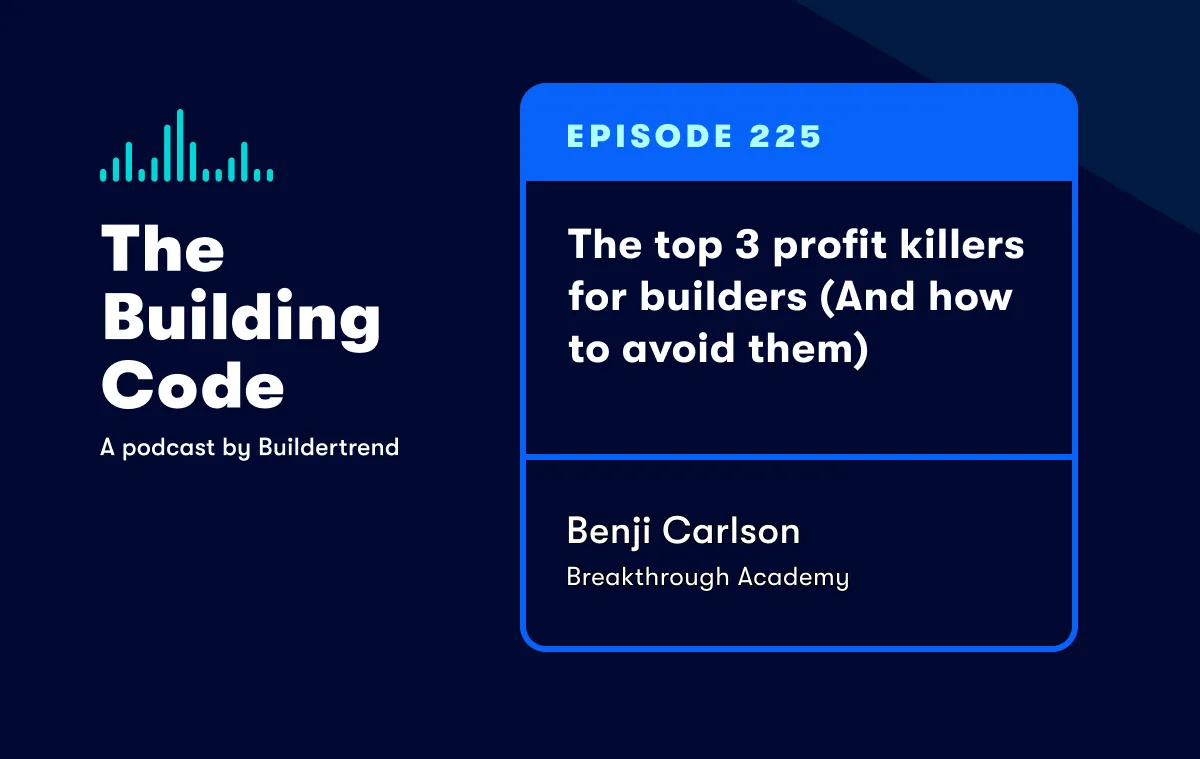
Podcast episode 225 with Benji Carlson thumbnail

Tune in to our podcast to understand what’s setting builders back and keeping them from reaching their financial goals.

Frequently asked questions

Buildertrend helps specialty contractors grow their businesses by providing a comprehensive platform that streamlines project management, improves communication and enhances financial oversight. With tools for estimating, scheduling and invoicing, contractors can optimize their operations, reduce errors and increase efficiency.

Additionally, Buildertrend’s reporting and analytics features enable contractors to make data-driven decisions, identify growth opportunities and enhance customer relationships, ultimately driving profitability and expansion.

Buildertrend keeps specialty contractors’ clients involved and updated on their projects through its user-friendly Customer Portal. This tool allows clients to access real-time project information, including schedules, progress photos and budget updates.

The Customer Portal fosters transparent communication, enabling clients to ask questions, provide feedback and stay informed throughout the construction process, enhancing their overall experience and satisfaction.

Buildertrend helps specialty contractors coordinate their crews and subs by providing a centralized platform for scheduling, task assignment and communication. With features like shared calendars, project timelines and real-time updates, contractors can ensure everyone is aligned on their responsibilities and timelines, reducing miscommunication and improving efficiency on the job site.

Contractor software helps established construction trades increase profitability by automating and streamlining essential processes such as project management, budgeting and invoicing, which reduces manual errors and saves time.

By providing real-time insights into project performance and expenses, Buildertrend enables contractors to make data-driven decisions, optimize resource allocation and improve cash flow, leading to higher profit margins and more efficient operations.

Buildertrend’s AI is built into the workflows you already use – not a separate tool to manage. AI Client Updates turns your daily logs into homeowner-ready progress reports automatically, so clients stay informed even when you’re running several jobs at once. AI Bill Capture reads vendor details, line items and cost codes off every bill automatically, so bills get processed faster and with fewer errors. It’s AI built for the way specialty trades actually work, not AI for its own sake.