For home builders: one platform, every phase, every dollar protected.

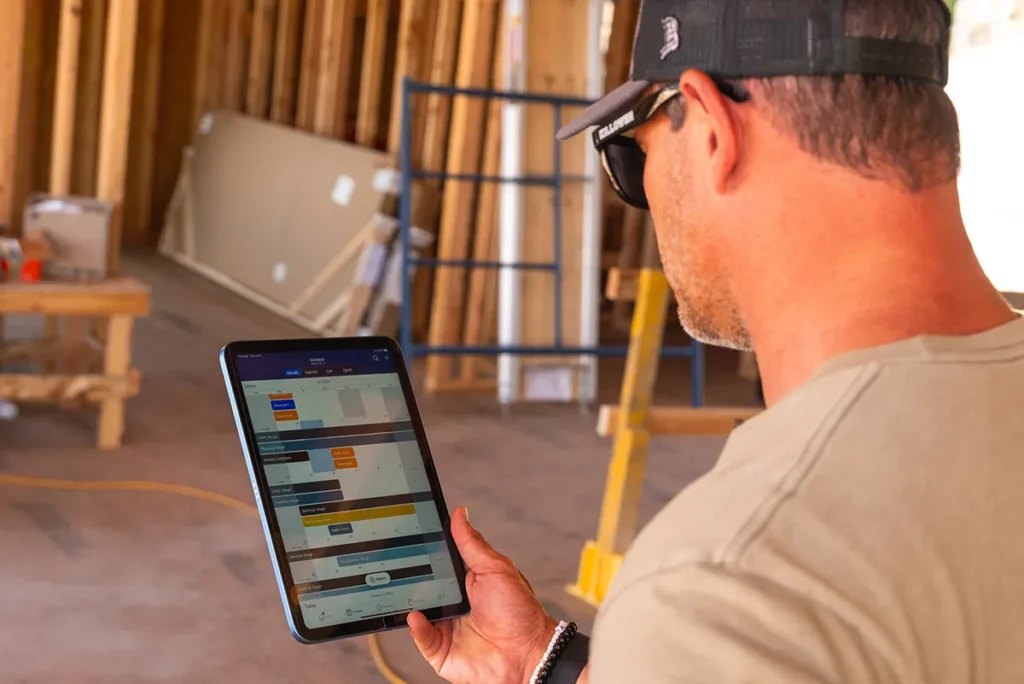
Zoomed in photo of man looking at a tablet

A ground-up build means dozens of subs, months on the schedule and a buyer watching every update. Buildertrend keeps planning, scheduling, budgets and client communication moving together, so nothing about the build is a surprise – to you or your buyer.

  • Planning and design

    Lock in the finishes, fixtures and allowances that go into a new home before the first wall goes up, so change orders don’t quietly eat into your margin three months in.

    list-image
  • Pre-construction

    Line up your subs and budget before you break ground, so the trades showing up on day one aren’t waiting on decisions that should have been made weeks earlier.

    list-image
  • Construction

    Buildertrend’s tools help home builders stay on track by offering real-time progress tracking and task management with Daily Logs and Tasks. Contractors can efficiently coordinate teams and monitor framing, plumbing, electrical and finishing work – all while ensuring every step of the build stays aligned with the project timeline and budget.

    list-image
  • Completion and handoff

    The walkthrough is where trust gets won or lost. Buildertrend helps you close out inspections, warranty items and final approvals cleanly, so the buyer’s last impression is the one that gets you referred to the next one.

    list-image

Communicate. Collaborate. Connect.

You’re not the only builder struggling to …

A lot can change between groundbreaking and closing: material costs, sub pricing, buyer-requested upgrades. Buildertrend tracks your budget against real costs the whole way, so drift gets caught in week three, not discovered at closing.

Framing can’t start until the foundation’s inspected. Electrical can’t start until framing’s done. Buildertrend keeps every trade’s schedule dependent on the one before it, so nobody shows up to a job that isn’t ready for them.

Buyers can’t see their house taking shape unless you show them. AI Client Updates turns your daily site logs into a homeowner-ready progress report automatically, so buyers stay confident in the process, and you’re not writing a recap by hand every week.

Two people sitting across from each other at desk chatting

Why Buildertrend?

Hear how our tech has helped successful home builders overcome industry roadblocks.

Brightwater logo square
Aubuchon Homes logo
Tankersley logo grey
Justin Einstein headshot

Justin Einstein

Aubuchon Homes

Heather Tankersley headshot

Heather Tankersley

Tankersley Construction

Need something done?

We’ve got a tool for it.

Financial features

Financial management features

Sales features

Sales management features

Project features

Project management features

Communication features

Communication management features

Bids

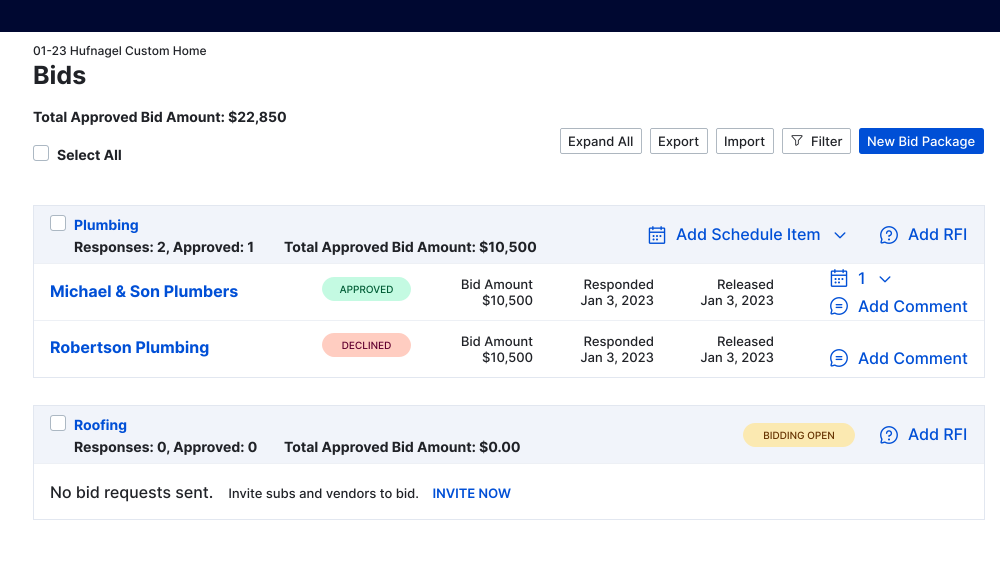
Request, manage and organize all bids in one place to create faster, more accurate estimates.

Bills & Purchase Orders

Send purchase orders and track job costs to ensure every project stays on budget.

Budget

Keep your estimated cost versus actual cost up to date at all times. Compare and never miss your goals.

Estimates

Optimize construction costs to ensure your most profitable projects every time.

Invoices

Create invoices and track payments in one place to easily manage cash flow and ensure clients are billed on time.

Payments

Pay and get paid faster with secure and convenient online payments.

Takeoff

Upload digital blueprints, record measurements and create accurate estimates faster than ever.

Email Marketing

Automate email campaigns and track responses with leads in just a few clicks.

Lead Management

Keep your sales pipline full with quality leads. This gives you the power to track leads and follow up easily.

Proposals

Generate the type of complete, detailed proposals that win jobs – with no extra effort from you.

Change Orders

Create and deliver change orders from the office or on the go as well as capture instant payments online.

Daily Logs

Keep track of daily progress on the job site with notes and photos, so everyone’s kept in the loop.

Scheduling

Keep even the most complex projects running smoothly, empowering your team to handle more work.

Selections

Finalize client selections, confirm pricing of products and keep track of a project’s total cost.

Tasks

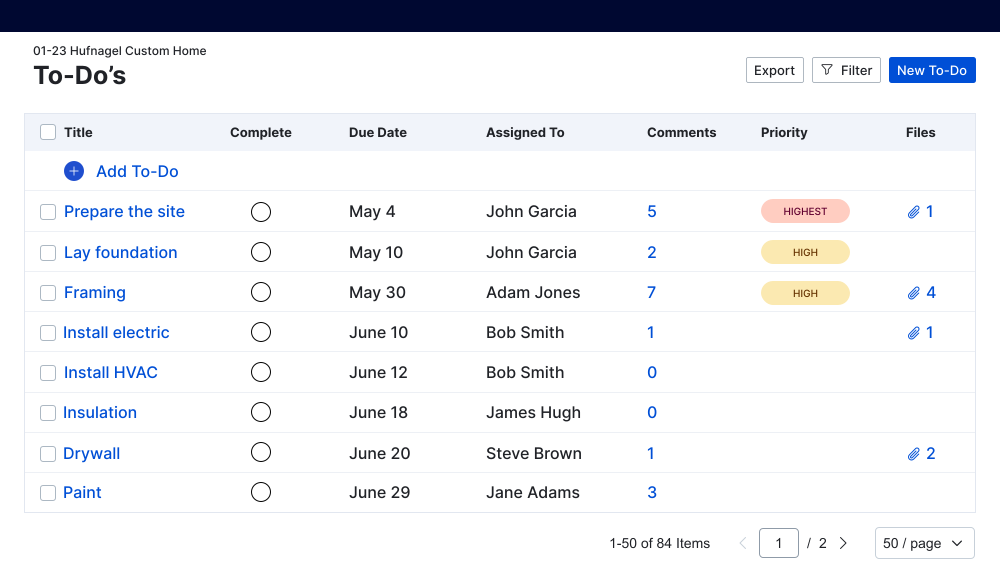
Custom templates and a unified platform make task creation and delegation effortless.

Time Clock

Empower your field crew to clock in and out right from the job site for accurate tracking of labor costs.

Warranties

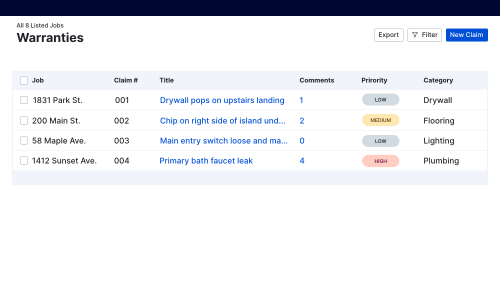
Effortlessly track warranties, manage claims, schedule maintenance, and keep every stakeholder informed.

Chat

Easily communicate with team members, subs and clients in real-time with instant chat.

Client Portal

Give clients access to their projects to track daily progress without needing to meet.

File Storage

Boost team efficiency and enhance client satisfaction by giving them access to the information they need.

Messaging / Comments

Manage emails, comments and client questions all in one place.

Sub Portal

Manage emails, comments and client questions all in one place.

Bids

Request, manage and organize all bids in one place to create faster, more accurate estimates.

Bills & Purchase Orders

Send purchase orders and track job costs to ensure every project stays on budget.

Budget

Keep your estimated cost versus actual cost up to date at all times. Compare and never miss your goals.

Estimates

Optimize construction costs to ensure your most profitable projects every time.

Invoices

Create invoices and track payments in one place to easily manage cash flow and ensure clients are billed on time.

Payments

Pay and get paid faster with secure and convenient online payments.

Takeoff

Upload digital blueprints, record measurements and create accurate estimates faster than ever.

Email Marketing

Automate email campaigns and track responses with leads in just a few clicks.

Lead Management

Keep your sales pipline full with quality leads. This gives you the power to track leads and follow up easily.

Proposals

Generate the type of complete, detailed proposals that win jobs – with no extra effort from you.

Change Orders

Create and deliver change orders from the office or on the go as well as capture instant payments online.

Daily Logs

Keep track of daily progress on the job site with notes and photos, so everyone’s kept in the loop.

Scheduling

Keep even the most complex projects running smoothly, empowering your team to handle more work.

Selections

Finalize client selections, confirm pricing of products and keep track of a project’s total cost.

Tasks

Custom templates and a unified platform make task creation and delegation effortless.

Time Clock

Empower your field crew to clock in and out right from the job site for accurate tracking of labor costs.

Warranties

Effortlessly track warranties, manage claims, schedule maintenance, and keep every stakeholder informed.

Chat

Easily communicate with team members, subs and clients in real-time with instant chat.

Client Portal

Give clients access to their projects to track daily progress without needing to meet.

File Storage

Boost team efficiency and enhance client satisfaction by giving them access to the information they need.

Messaging / Comments

Manage emails, comments and client questions all in one place.

Sub Portal

Manage emails, comments and client questions all in one place.

Bids

Request, manage and organize all bids in one place to create faster, more accurate estimates.

Bills & Purchase Orders

Send purchase orders and track job costs to ensure every project stays on budget.

Budget

Keep your estimated cost versus actual cost up to date at all times. Compare and never miss your goals.

Estimates

Optimize construction costs to ensure your most profitable projects every time.

Invoices

Create invoices and track payments in one place to easily manage cash flow and ensure clients are billed on time.

Payments

Pay and get paid faster with secure and convenient online payments.

Takeoff

Upload digital blueprints, record measurements and create accurate estimates faster than ever.

Email Marketing

Automate email campaigns and track responses with leads in just a few clicks.

Lead Management

Keep your sales pipline full with quality leads. This gives you the power to track leads and follow up easily.

Proposals

Generate the type of complete, detailed proposals that win jobs – with no extra effort from you.

Change Orders

Create and deliver change orders from the office or on the go as well as capture instant payments online.

Daily Logs

Keep track of daily progress on the job site with notes and photos, so everyone’s kept in the loop.

Scheduling

Keep even the most complex projects running smoothly, empowering your team to handle more work.

Selections

Finalize client selections, confirm pricing of products and keep track of a project’s total cost.

Tasks

Custom templates and a unified platform make task creation and delegation effortless.

Time Clock

Empower your field crew to clock in and out right from the job site for accurate tracking of labor costs.

Warranties

Effortlessly track warranties, manage claims, schedule maintenance, and keep every stakeholder informed.

Chat

Easily communicate with team members, subs and clients in real-time with instant chat.

Client Portal

Give clients access to their projects to track daily progress without needing to meet.

File Storage

Boost team efficiency and enhance client satisfaction by giving them access to the information they need.

Messaging / Comments

Manage emails, comments and client questions all in one place.

Sub Portal

Manage emails, comments and client questions all in one place.

Software fit for the financial stakes of a ground-up build

Every house carries months of costs, a dozen subs and a construction loan you're accountable to your bank for. Buildertrend gives you the financial depth and operational control to protect your margin on every draw.

Buildertrend gives you the tools to control cash flow, track budgets and manage finances accurately, down to the last penny. AI Bill Capture pulls vendor details and cost codes off every bill automatically, so every draw request is backed by real numbers instead of last month's estimate.

A mobile app interface displaying a budget summary for a custom home project, showing a gross profit of $85,271.00 with a breakdown of construction costs organized by code categories including preparation, excavation, foundation, rough structure, and enclosure, alongside icons representing project management, documents, analytics, finance, and calculations on a blue background.

Scale with integrations

Buildertrend connects to your accounting, payroll and CRM systems, so you keep your existing workflows and simplify how they work together as you take on more houses.

Buildertrend marketplace integrations

Train your crew with Onsite Consulting or Buildertrend University, so everyone's actually confident running the platform and not just clicking through it.

Graphic with financial management icons

Straight talk for home builders running a serious business

BTA webinar thumbnail

The cool, calm $10 million+ contractor

Watch our webinar co-hosted by two top home builders on how they conquer the chaos of running a successful business – all while steadily increasing profit margins.
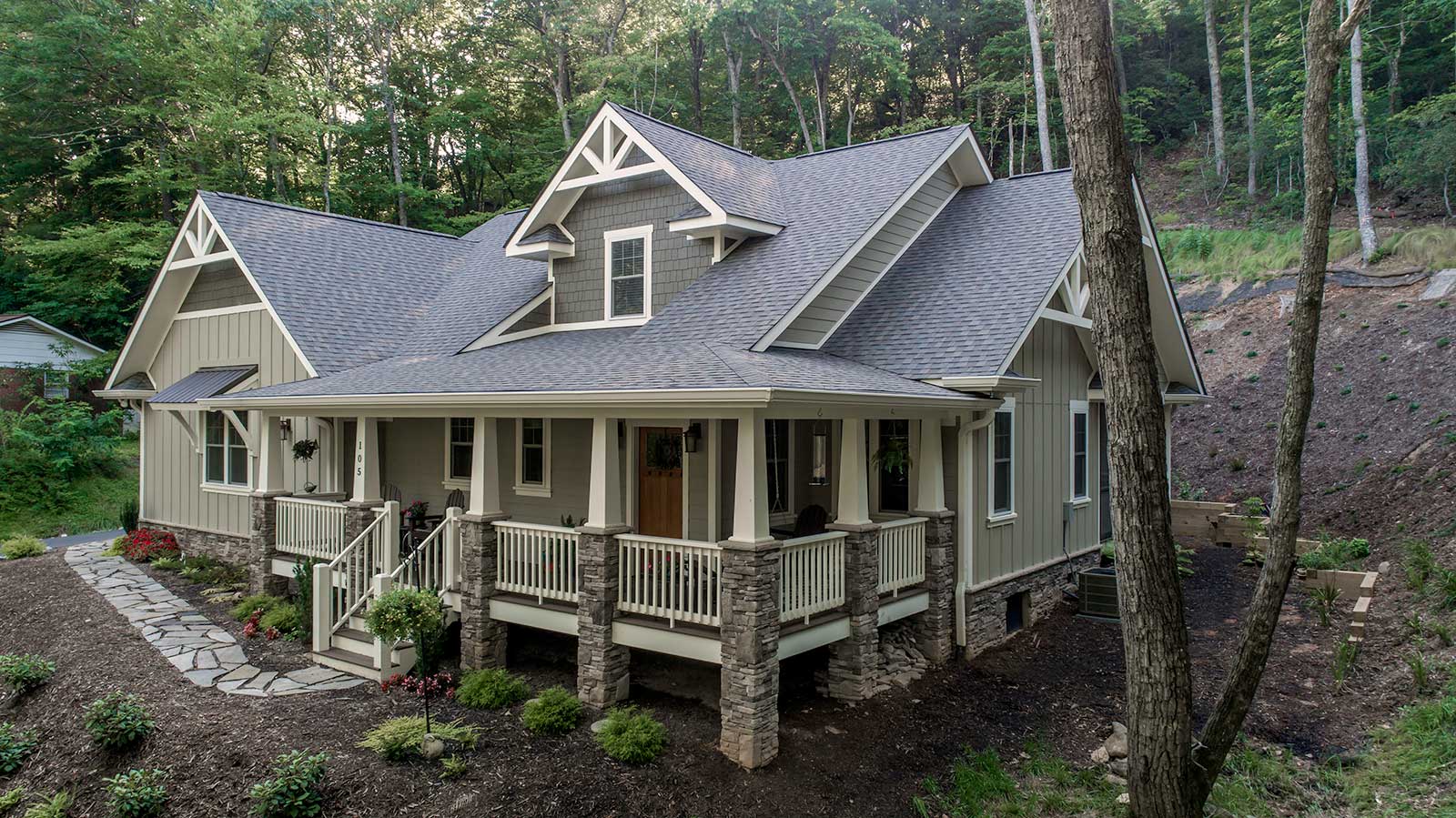
A large green North Carolina home built by Scroggs Construction is surrounded by trees

After using Buildertrend for over four years, Scroggs Construction proves that better sub management is the key to faster growth.

Graphic showing Buildertrend construction software and how processes work within it.

Discover how to take on larger and more complex projects by improving your existing processes.
Semi-custom home building gated PDF cover

Check out our guide for enhancing efficiency, scaling operations and maintaining excellence in project management.
Podcast episode 225 with Benji Carlson thumbnail

Tune in to our podcast to understand what’s setting builders back and keeping them from reaching their financial goals.

Frequently asked questions

Yes. Using features like Customer PortalDaily Logs and AI Client Updates, you can keep buyers in the loop automatically. AI Client Updates turns your daily logs straight into a homeowner-ready progress report. In the portal, buyers see progress notes, photos and can send or receive messages, so you’re always on the same page. Plus, they can make selections, see the budget and view the schedule.

Yes. You can invite subcontractors into the platform with Sub Portal feature. They can be given access to documents relevant to the project, and if any changes are made impacting their schedule, they’ll automatically be notified from the platform.

Ask your subs to download the Buildertrend mobile app, too. This way, they can communicate while on the job site or on the go.

Construction management software, like Buildertrend, helps home builders grow their businesses by offering tools that simplify operations, enhance project management and improve client communication. With features for scheduling, budgeting and progress tracking, builders can take on more projects without sacrificing quality or efficiency. Additionally, Buildertrend’s Customer Portal and Email Marketing features allow builders to offer a superior client experience, which helps win new business and build a strong reputation in the market.

Builder software, like Buildertrend, helps home builders increase profitability by improving project management and cost tracking, while reducing inefficiencies. With tools for accurate budgeting, job costing and real-time financial reporting, builders can control expenses, avoid costly delays and make data-driven decisions that enhance margins. Buildertrend also helps builders better manage buyer expectations and subcontractor performance, which leads to fewer disputes, faster closings and more referral business.

Buildertrend’s AI works inside the tools you already use, not as a separate product. AI Client Updates turns your daily site logs into homeowner-ready progress reports automatically, and AI Bill Capture reads vendor details and cost codes off every bill. It’s AI built for the pace of a real build, not AI for its own sake.