How Curate Design + Build transformed its selections process
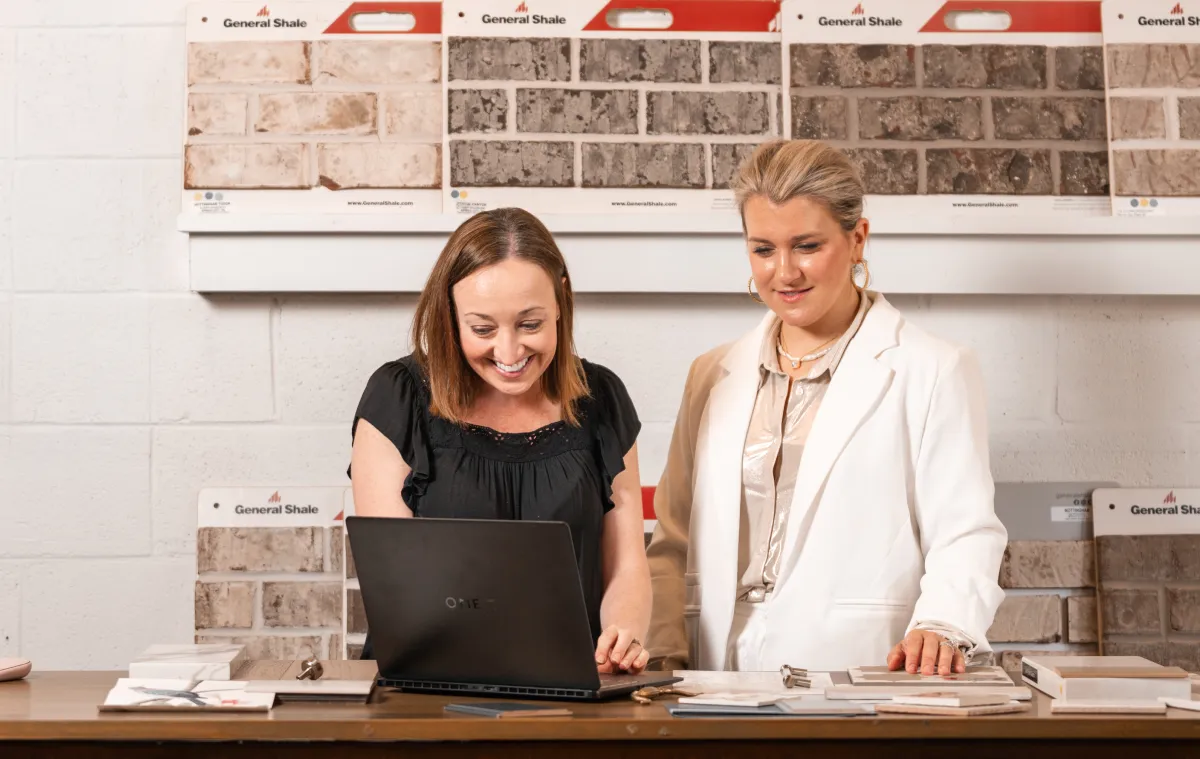
For Curate Design + Build, entering selections for a custom home once took four days. After refining its process in Buildertrend, the team cut that down to about four and a half hours, with a goal of reaching just two.
That efficiency matters because selections are about much more than finishes. Every decision can affect costs, schedules, installation and trade partners.
By bringing those details into one connected process, Curate has found a better way to manage selections for both its team and clients.
Watch their story here:

A better selections process starts before the client clicks approve
For Curate’s clients, selections are still a hands-on experience. They visit showrooms, compare samples and work with the design team to choose the products that will make their home their own.
But picking a product is only the beginning.
Jamie Riley, design assistant at Curate, helps turn each client decision into the detailed information the rest of the project team needs. Depending on the selection, that can include:
- Product details: Manufacturer, model, photos and reference materials
- Installation requirements: Tile patterns, layouts, grout, trim and other specifications
- Financial details: Pricing, allowances and any upgrades
- Trade instructions: The information installers need to execute the client’s vision correctly
Jamie documents those details in Buildertrend, creating one central record that can follow the selection from the showroom to the job site.
That’s what makes an effective selections process so important. It has to work for the client making the decision, the design team documenting it and the trade partner bringing it to life. When all three are working from the same information, there’s less room for questions, confusion and costly mistakes.
Give clients clarity before asking for approval
Once Curate documents a selection, clients can review exactly what they’re agreeing to in Buildertrend before giving their approval. Jamie can even view selections from the client’s perspective, helping her catch unclear descriptions or missing details before they lead to questions.
Clients have one place to find:
- Organized selection categories that make choices easier to navigate
- Photos, model numbers and cut sheets for a clear record of each product
- Pricing information to understand how choices affect their budget
- Favorites to compare options and keep an eye on potential costs
- Formal approvals to confirm selections and associated upgrades
That visibility was especially valuable for Curate clients Scott and Sharon Wilhoite, who were living out of town while building their home. Instead of needing to be onsite to stay informed, they could follow their selections and costs from wherever they were.
“We could see the cost, we could see the information, model number, cut sheets, all those things in Buildertrend,” Scott said.
The result is a selections process that gives clients the information and confidence to make those choices with clarity.
Selections aren’t just design decisions. They’re financial decisions.
Selections may seem like “all the pretty stuff,” but every choice comes with a price tag. That’s why Curate connects selections directly to its financial workflows instead of tracking costs separately in spreadsheets.
With Buildertrend, the team can:
- Track upgrades as selections are made
- Show clients associated costs before they approve
- Maintain a running total as decisions add up
- Calculate the final upgrade amount without manually reconciling spreadsheets
- Collect payment based on the client’s approved selections
Clients can also use Favorites to see how the options they’re considering fit within their budget. If their preferred choices push them over their target, they can decide where to spend more and where to scale back before committing.
For Curate, that means fewer surprises at the end of the design process. Instead, cost becomes part of the conversation from the start, giving both the team and client a clearer picture of where the project stands financially.
5 ways to create a more efficient selections process
Curate’s experience shows that a better selections process saves time and creates a workflow that keeps clients, design teams and the field working from the same information.
Here are five ways builders can put that approach into practice:
1. Create one place for every selection
Keep selections out of scattered spreadsheets, emails, texts and paper notes. Establish one source of truth that follows each decision from the showroom through approval and installation.
2. Document more than the product
Think about what the field will need when it’s time to install. Include model numbers, photos, layouts, finishes, installation instructions and supporting documents so trade partners aren’t left filling in the gaps.
3. Make cost part of the decision
Give clients visibility into upgrade costs while they’re choosing, not after selections are complete. This helps them balance priorities against their budget and reduces financial surprises later.
4. Require documented client approval
Create a clear approval step that confirms the product, important details and associated price. A documented decision gives both the builder and client something reliable to reference if questions come up later.
5. Design the workflow for the client, too
Internal efficiency matters, but the process also needs to make sense to the person living in the home. Review what clients see and make sure selections are organized, easy to understand and simple to approve.
The goal is a process where every decision is clear, documented and ready to move forward – without creating more admin work along the way.
Better selections create confidence from showroom to job site
At Curate, there’s a simple rule that sums up the team’s approach to selections: “If it’s not in Buildertrend, it didn’t happen.”
Once a choice is made, Curate documents the product, important details and any associated price changes in Buildertrend before sending it to the client for approval. That creates a clear record everyone can rely on, from the designer documenting the decision to the trade partner installing it in the field.
For Curate, a connected selections workflow means clients know what they chose and what it costs, project teams have the details they need to build it correctly and the business has a documented link between decisions, approvals and financials.
For clients like Scott and Sharon Wilhoite, it also created a detailed digital catalog of everything that went into their home.
That’s the bigger opportunity behind a better selections process: less time managing decisions and more confidence carrying them from the showroom to the job site.
See how Buildertrend Selections can bring client choices, approvals and costs together in one connected workflow. Schedule a demo.

Based on what you just read, we think you'd enjoy...
These suggestions are made by our team to help you find builders and stories that you relate to!
Back to all blogs