Why punch lists break down and what builders actually need at the end of a project
The final phase of a project creates the strongest emotional memory – for you and your client. By the time you hit that last punch list, budgets are tight, schedules are compressed, clients are fatigued and crews are already mentally on the next job.
And yet … this is the moment that defines referrals, reviews and long-term trust.
For successful builders, punch lists aren’t just about checking boxes. They’re about operational control, reputation management and margin protection. When the closeout process is organized, you protect your profit and reinforce your brand. When it’s messy, even a beautifully executed project can end on a sour note.
Let’s look at why traditional punch lists break down – and what established builders actually need at the finish line.
Why traditional punch lists break down
There are four main reasons things tend to fall apart at the end of a project … and none of them are about craftsmanship. They’re about systems.
- Your punch lists are disconnected from the schedule: Items get documented but not sequenced. There’s no clear ownership or deadline. Crews don’t see urgency in context. The result? Small items linger, trades overlap inefficiently and closeout drags weeks longer than planned.
- Your punch lists live in too many places: Notes app. Text threads. Emails. Paper walkthrough sheets. Internal spreadsheets. When punch items are scattered, you get double entry, missed tasks and constant confusion about what’s actually complete.
- Your punch lists don’t create a feedback loop: The crew says it’s done. The client says it’s not. There’s no documentation trail and no photo confirmation. At the exact moment you should be reinforcing trust, you’re debating whether something was actually “finished.”
- Your punch lists aren’t built for mobility: Punch work happens onsite, during walkthroughs, in real time. If your system requires manual saves, desktop entry or extra admin steps, it slows everyone down and friction at closeout always shows up in your margins.
Get the data and insights on how top builders win in 2026 – and beyond.
What builders actually need at project closeout
At closeout, the goal isn’t just to finish; it’s to finish with control. Established builders need a system that protects margin, reinforces accountability and delivers a professional client experience.
Real-time documentation
Punch items should be captured during the walkthrough, not rewritten later. Clients can contribute without creating chaos, ownership is assigned immediately and deadlines are set before anyone leaves the site.
Clear internal and external accountability
Closeout requires two feedback loops. Internally, crews confirm completion. Externally, clients verify and sign off. That means photo confirmation, defined due dates and one clearly assigned owner rath than just “the team.”
Schedule integration
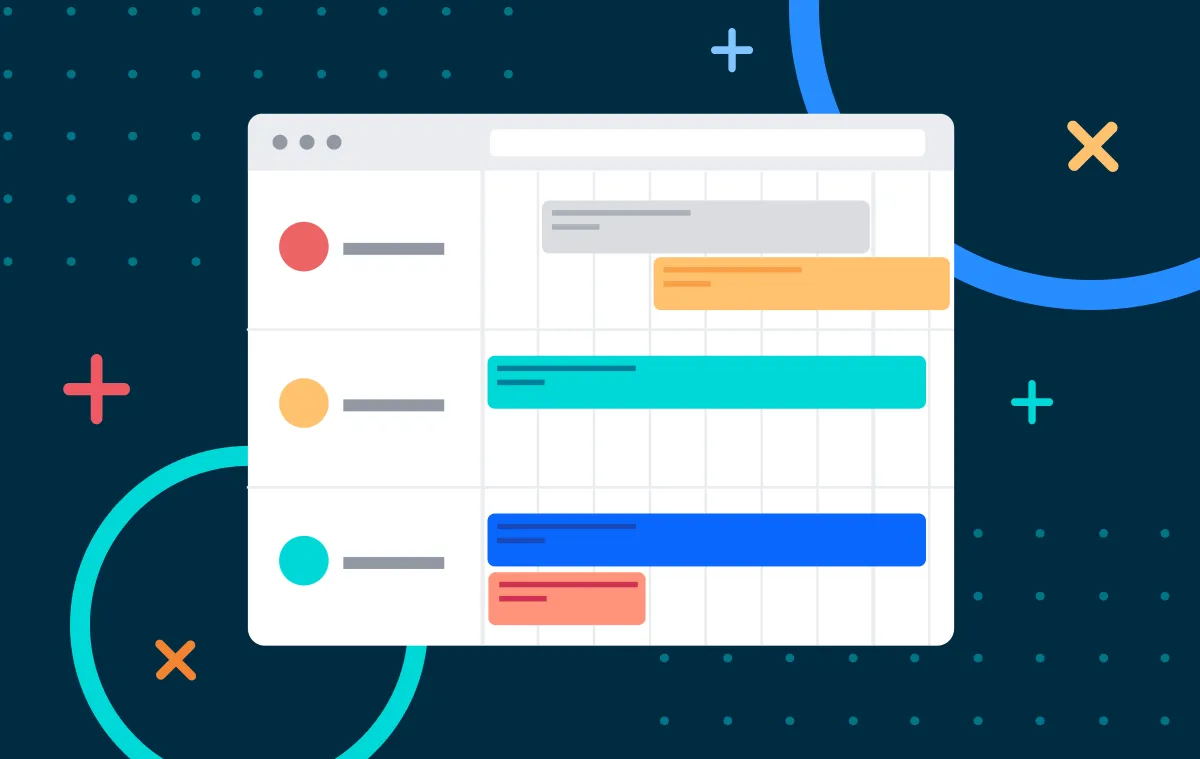
Punch items aren’t separate from the project; they’re the final phase of it. They should be linked to the schedule, sequenced around trade availability and prioritized based on what impacts closeout or final payment.
Priority filtering
Not every item carries the same weight. Safety and functionality issues come first, then cosmetic items follow. Tagging and filtering by trade, urgency, client priority and completion status turns a long list into a focused action plan.
A professional client experience
The punch list is often the final emotional checkpoint. How you handle it answers three questions: Are you organized? Do you listen? Do you follow through?
Handled well, an organized final punch list reinforces your premium positioning in the market. Handled poorly, it feels like cleanup chaos.
The shift from “To-Do’s” to true task management
For years, punch lists were treated like simple to-do lists: write it down, check it off, move on. But growing companies outgrow basic lists.
When you’re managing multiple projects, multiple trades and higher client expectations, you need more than a running checklist. You need:
- Real-time documentation
- Schedule linkage
- Mobile-first execution
- Accountability tracking
- Filtering and visibility
That’s exactly why we evolved To-Do’s into Tasks, to give home builders and remodelers the structure and control required to close projects with confidence.
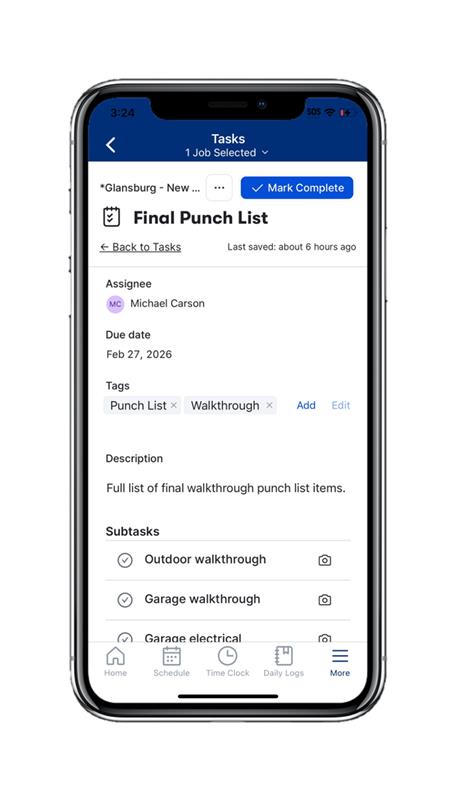
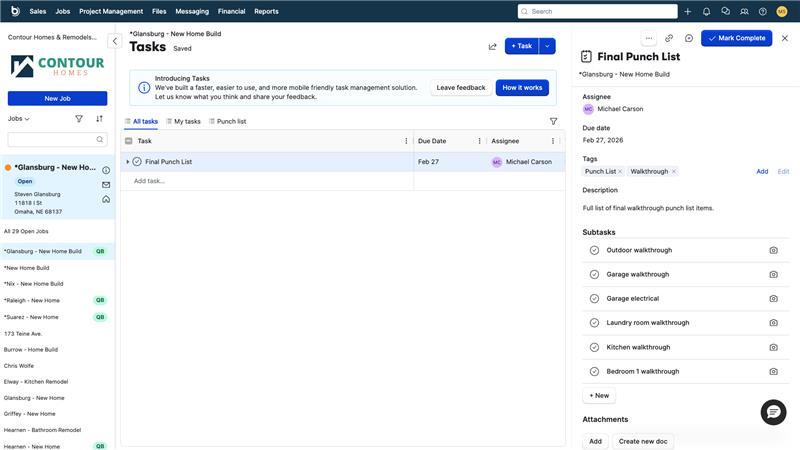
How Buildertrend’s Tasks feature supports a smarter closeout strategy
With this product enhancement in Buildertrend, the new Tasks feature is designed to solve common closeout breakdowns with the following functionalities:
- Built for real-time walkthroughs: Tasks is mobile-friendly with inline editing and no manual saves. With this new setup, unnecessary steps are eliminated by reducing clicks by over 40%. And if a client sends you their walkthrough list? Paste it into Tasks and assign items instantly – no manual retyping, no delay.
- Organized views that match how you work: Three built-in tabs keep everything clear and focused:
- All Tasks
- My Tasks
- Punch List
And with custom tabs coming soon, you’ll have even more control over how you view and manage closeout work.
- Schedule integration: Tasks link directly to your job schedule in Buildertrend, eliminating floating punch items with no context. Deadlines are clear, sequencing makes sense and closeout becomes part of the plan, not an afterthought.
- Accountability built in: Assign tasks to internal or external users and upload photo confirmations directly within a task. Every item has clear ownership which creates two essential feedback loops: Internal confirmation from your crew and client-facing validation that work is complete
- Advanced filtering and tags: Customize views by tag, assignee, status or timeline. Prioritize by trade or urgency and focus on what impacts closeout or final payment first. Instead of a chaotic list, you get a structured, prioritized action plan.
“It’s easier to use. It’s more dynamic. I love being able to copy and paste. It’s quicker. I can add tasks, hit enter – and go.” – Nick Baldo, Owner of Oakvale Homes & Development
Close stronger, not just faster
The builders who win long-term aren’t just great at framing and finishes; they’re disciplined at the final 5% of a job.
If you’re still managing punch lists through disconnected to-do lists, spreadsheets and email threads, it may be time to rethink how you handle the most reputation-defining phase of your projects. Closeout shouldn’t feel like damage control. It should feel like controlled execution. Explore how Tasks helps established builders close stronger, with less friction and more control. Schedule a free demo with Buildertrend and see what a smarter closeout strategy looks like in action.

Based on what you just read, we think you'd enjoy...
These suggestions are made by our team to help you find builders and stories that you relate to!
Back to all blogs